You are drawing on the canvas defined by the white square.
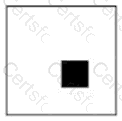
At which x, y coordinate is the upper-left corner of the filled square?
Which CSS property defines the sides of an element where other floating elements are not allowed?
The development team just released a new version of an app for your team to test. Which three tasks should you perform during testing? Choose 3.
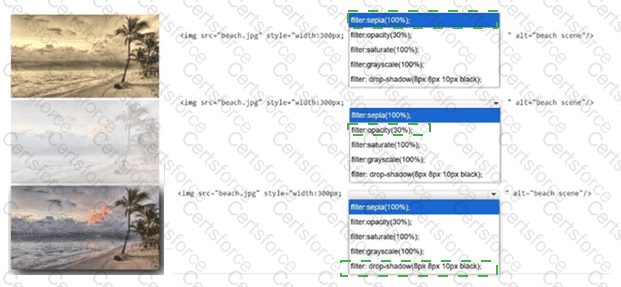
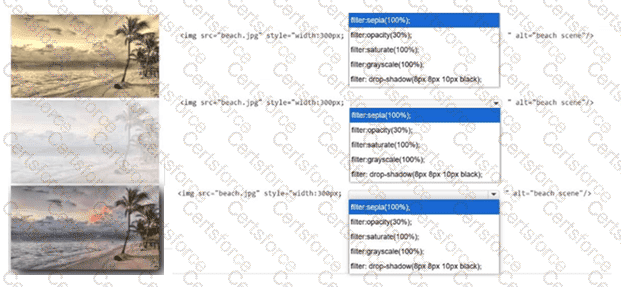
Identify the filter applied to each image.
Complete the markup by selecting the correct option from each drop-down list.
Note: You will receive partial credit for each correct selection.
Which value does the following JavaScript code fragment store in the variable num?
var num = localStorage.length;
You are creating the styling for your webpage. Which two CSS attributes produce a scroll bar if your content overflows its element? Choose 2.
Which three methods are associated with the HTML5 localStorage API? Choose 3.
You need to contain overflowing text inside the element ' s border without creating unneeded scrollbars or losing text. Which attribute setting should you use?
Which two CSS segments are valid filter properties? Choose 2.
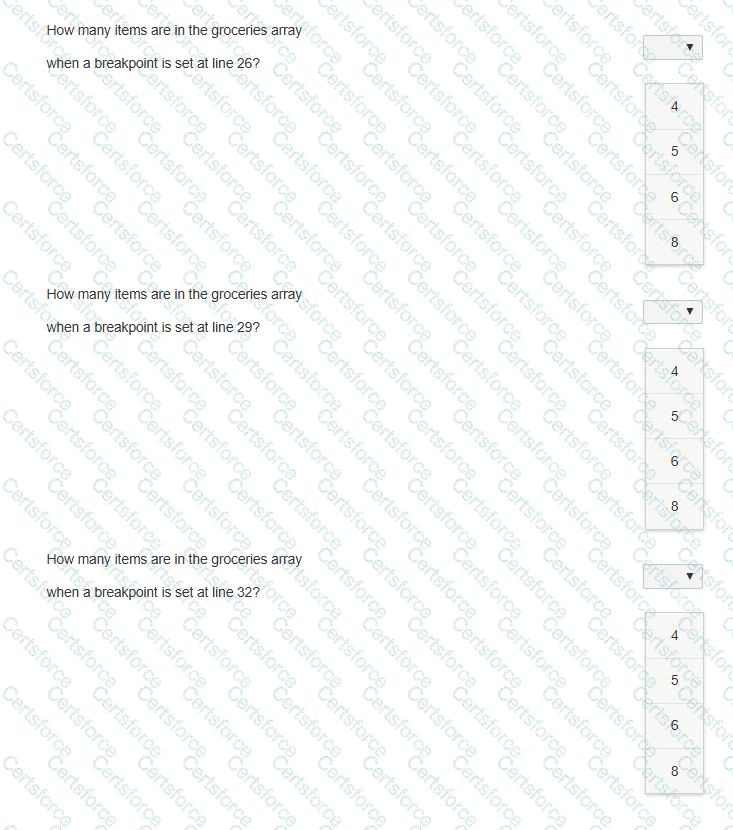
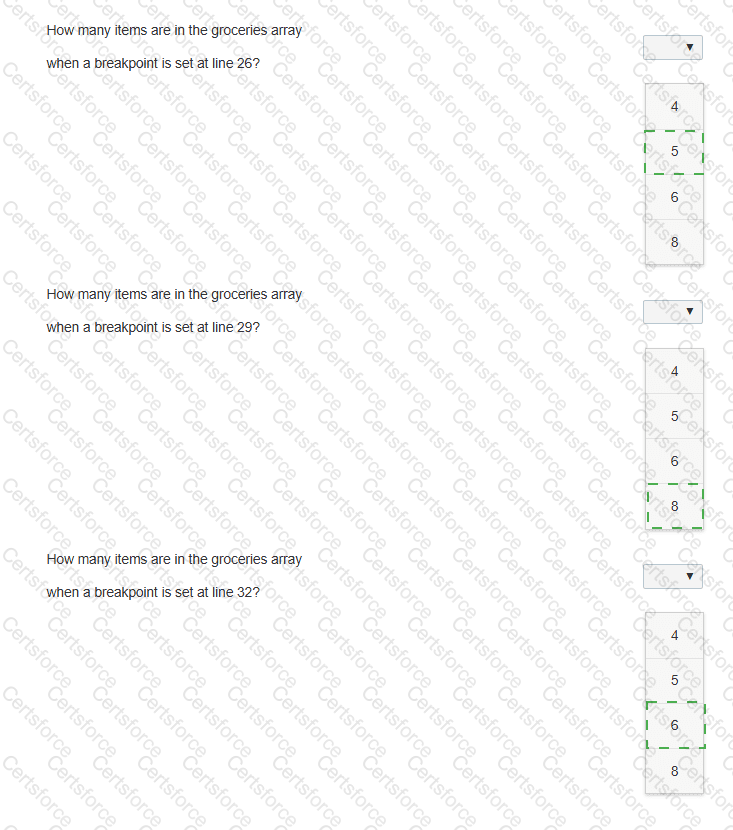
The following code adds items to the groceries array from the other arrays. Line numbers are for reference only.
01 < body >
02 < p id= " list " > < /p >
03 < script >
04 var groceries = [];
05 var dairy = [ " Milk " , " Eggs " , " Cheese " , " Ice Cream " ];
06 var beverages = [ " Juice " , " Water " , " Soda " , " Coffee " ];
07 var fruits = [ " Apples " , " Bananas " , " Grapes " , " Oranges " , " Strawberries " ];
08 var vegetables = [ " Broccoli " , " Carrots " , " Lettuce " , " Spinach " , " Tomatoes " ];
09 var meats = [ " Beef " , " Chicken " , " Pork " ];
10
11 function addVegetables() {
12 groceries = groceries.concat(vegetables);
13 }
14
15 function addFruits() {
16 groceries = groceries.concat(fruits);
17 }
18
19 function addOther() {
20 groceries.push(meats[1]);
21 groceries.push(dairy[3]);
22 }
23
24 fruits.shift();
25 addVegetables();
26
27 groceries.shift();
28 addFruits();
29
30 groceries.pop();
31 groceries.shift();
32
33 addOther();
34 document.getElementById( " list " ).innerHTML = groceries;
You need to debug the code on the left to determine how many items are in the groceries array at the specified breakpoints.
Evaluate the code and answer the questions by selecting the correct option from each drop-down list.
Note: You will receive partial credit for each correct answer.