Which of the following helps to maintain integrity during a forensic investigation?
A technician is installing a cloud-based productivity suite and gets an error saying the installation is unavailable. What should be tried first?
An end user sees frequent onscreen messages from a retail site they visited a week ago. A technician investigates and determines that the pop-up blocker is turned on. Which of the following should the technician do next?
Which of the following is used to detect and record access to restricted areas?
Company employees do not have assigned workspaces and regularly work at different computers and physical locations. Which of the following should the company implement to maintain data security and minimize the amount of user data that needs to be transferred?
A new software installation requires administrative privileges for deployment. Which of the following is the best way to provide the necessary permissions to install the software?
The battery on a user’s smartphone discharges quickly when the user travels. The smartphone was replaced two weeks ago. Which of the following should a technician do first?
Which of the following filesystem types does the Linux OS use?
A customer brings a recently purchased laptop back to the store. The customer states that the laptop is defective and requests a new unit. The service representative identifies that the laptop was damaged by liquid. Which of the following should the service representative most likely do first?
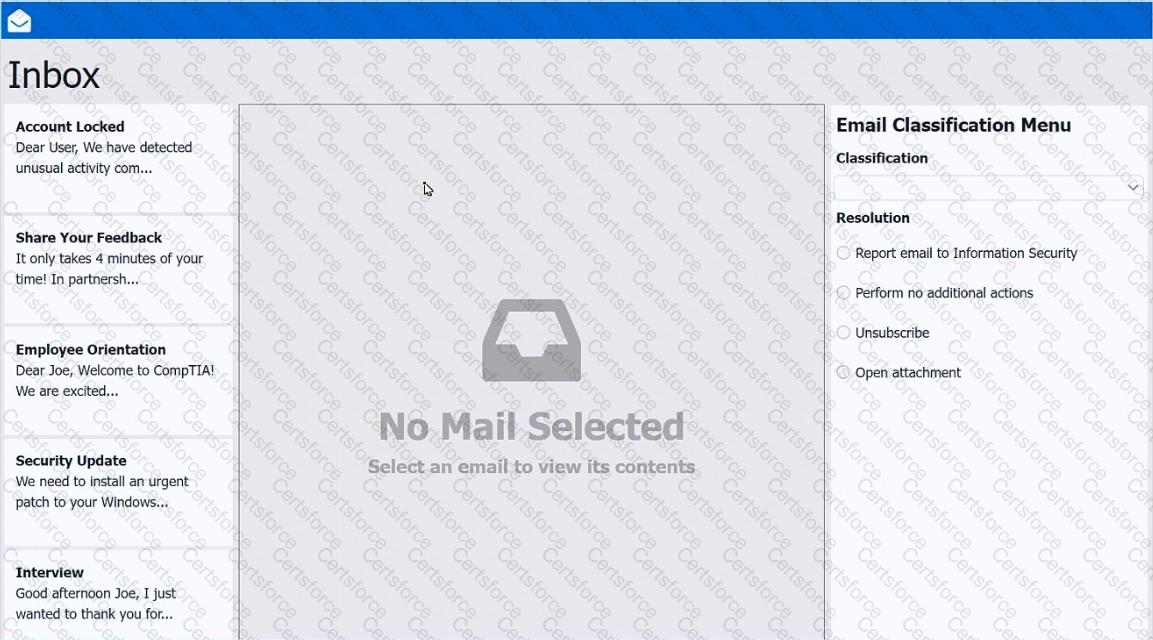
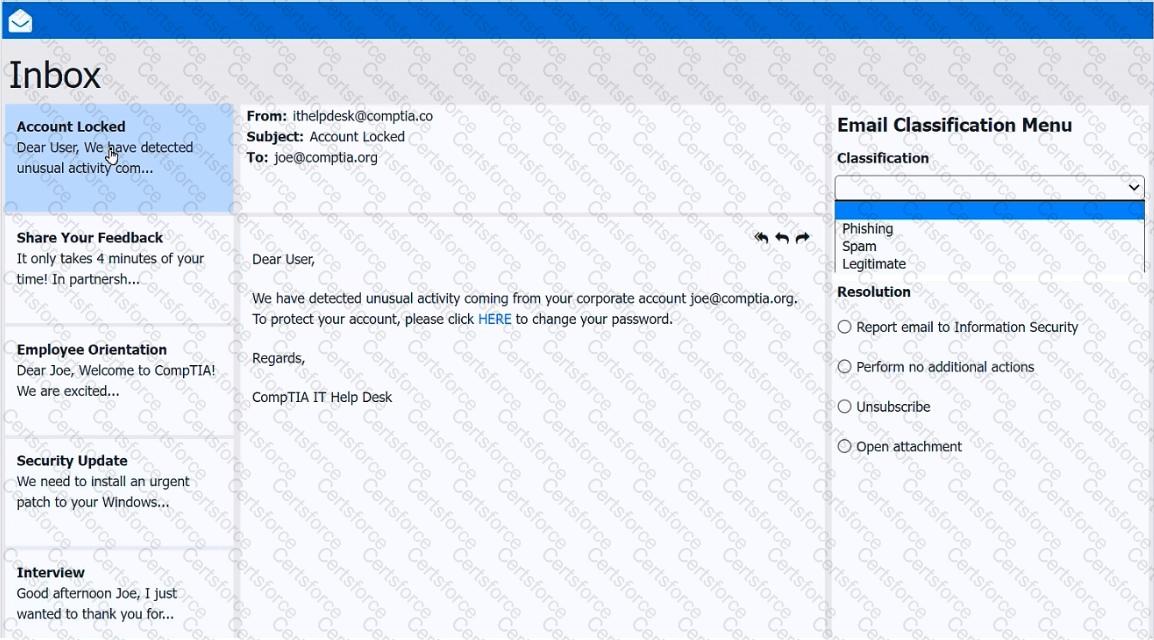
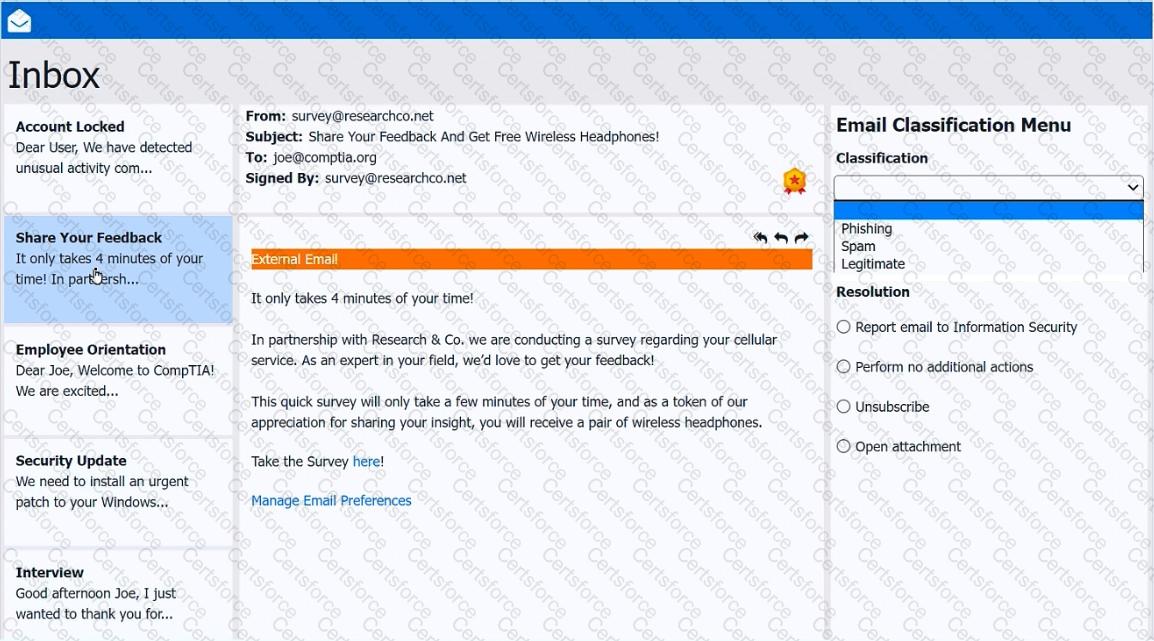
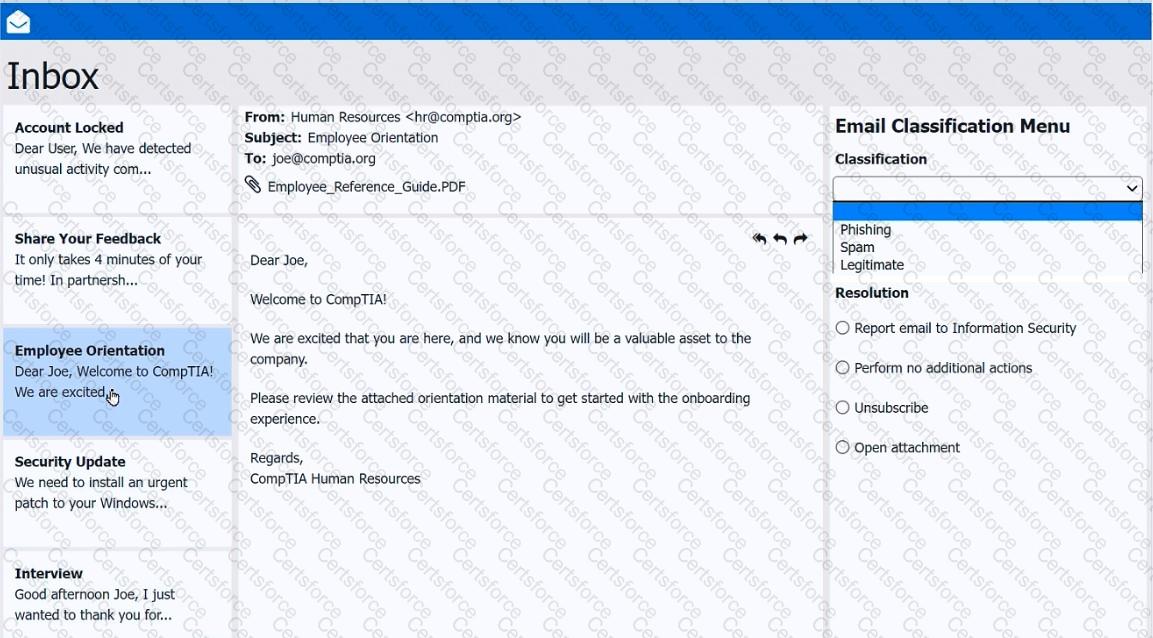
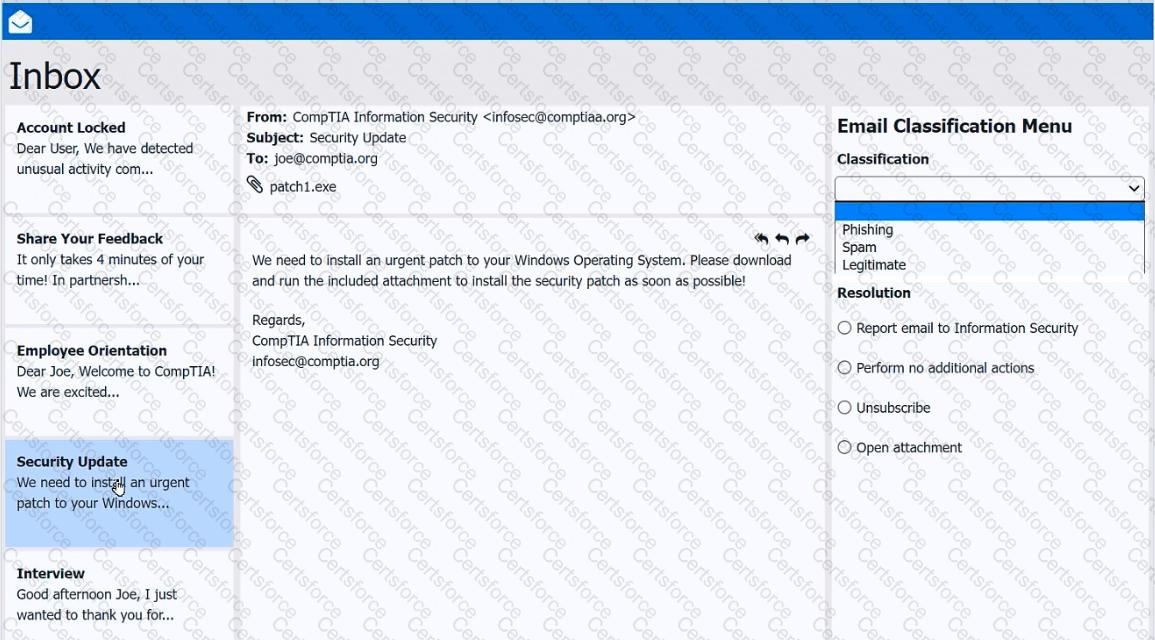
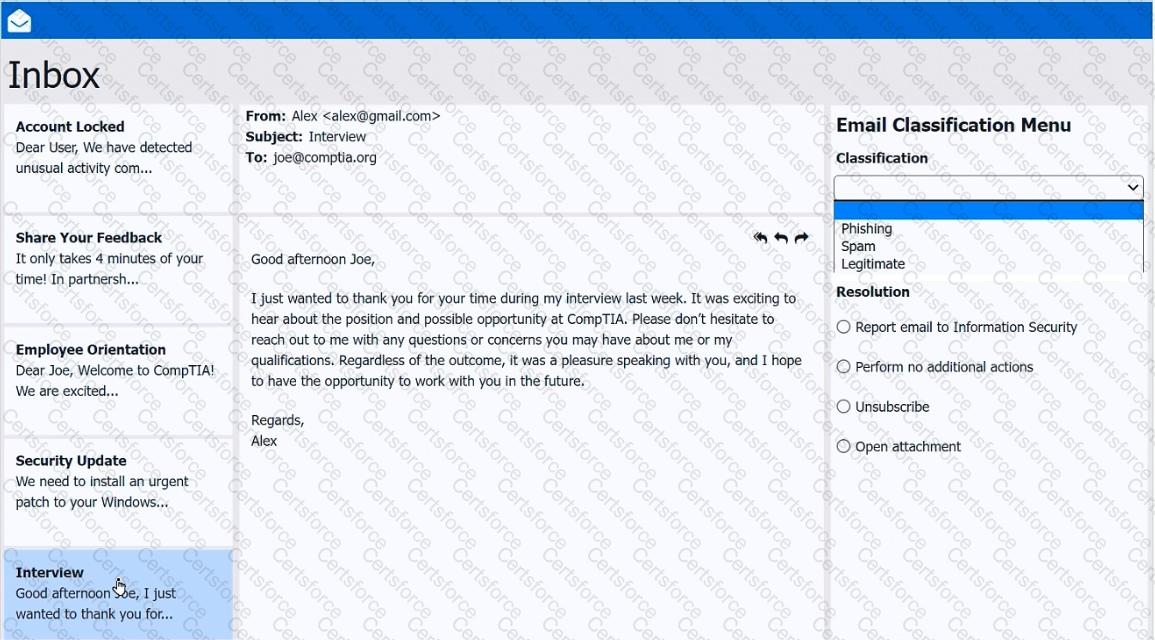
As a corporate technician, you are asked to evaluate several suspect email messages on a client ' s computer. Corporate policy requires the following:
> All phishing attempts must be reported.
> Future spam emails to users must be prevented.
INSTRUCTIONS
Review each email and perform the following within the email:
> Classify the emails
> Identify suspicious items, if applicable, in each email
> Select the appropriate resolution
If at any time you would like to bring back the initial state of the simulation, please click the Reset All button.