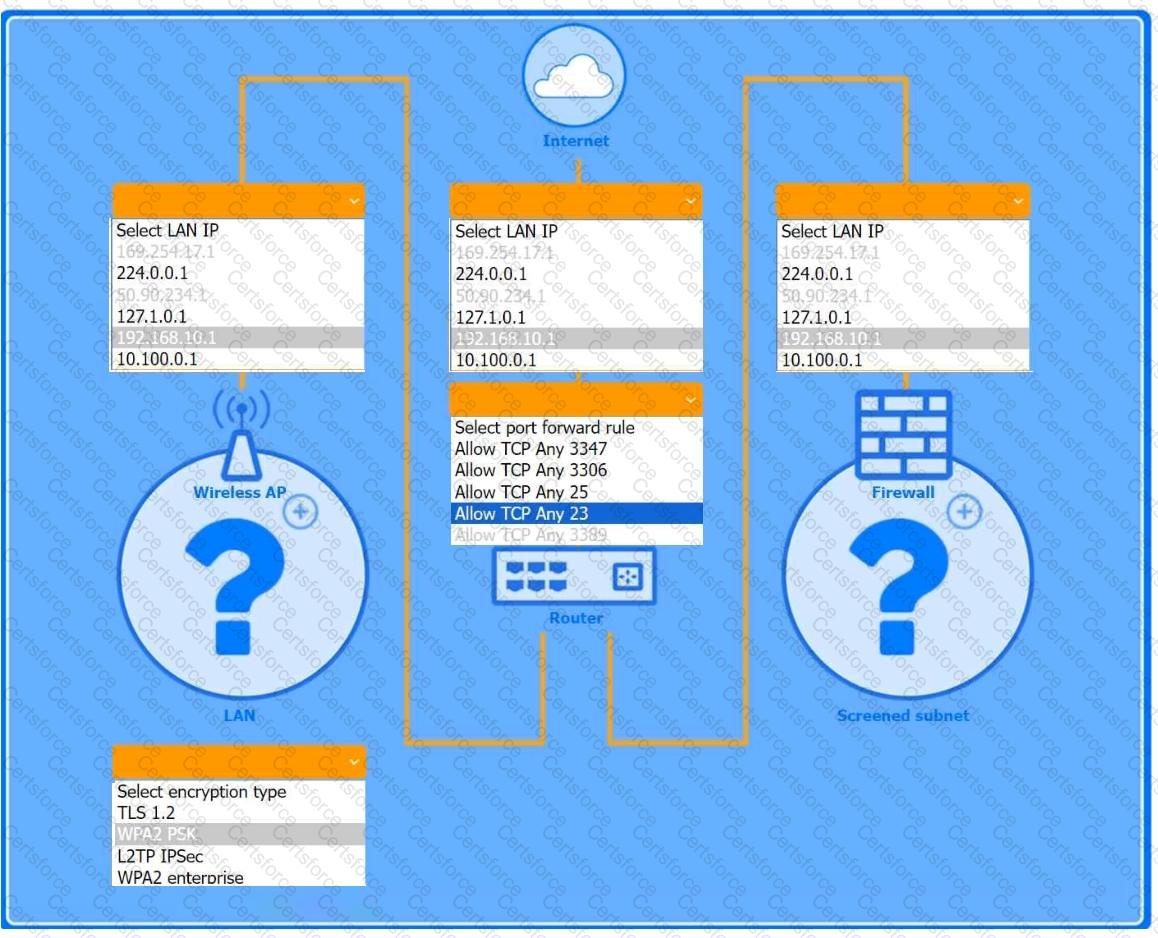
You are configuring a home network for a customer. The customer has requested the ability to access a Windows PC remotely, and needs all chat and optional functions to work in their game console.
INSTRUCTIONS
Use the drop-down menus to complete the network configuration for the customer. Each option may only be used once, and not all options will be used.
Then, click the + sign to place each device in its appropriate location.
If at any time you would like to bring back the initial state of the simulation, please click the Reset All button.
Wireless AP LAN
Firewall Screened Subnet
A security administrator teaches all of an organization ' s staff members to use BitLocker To Go. Which of the following best describes the reason for this training?
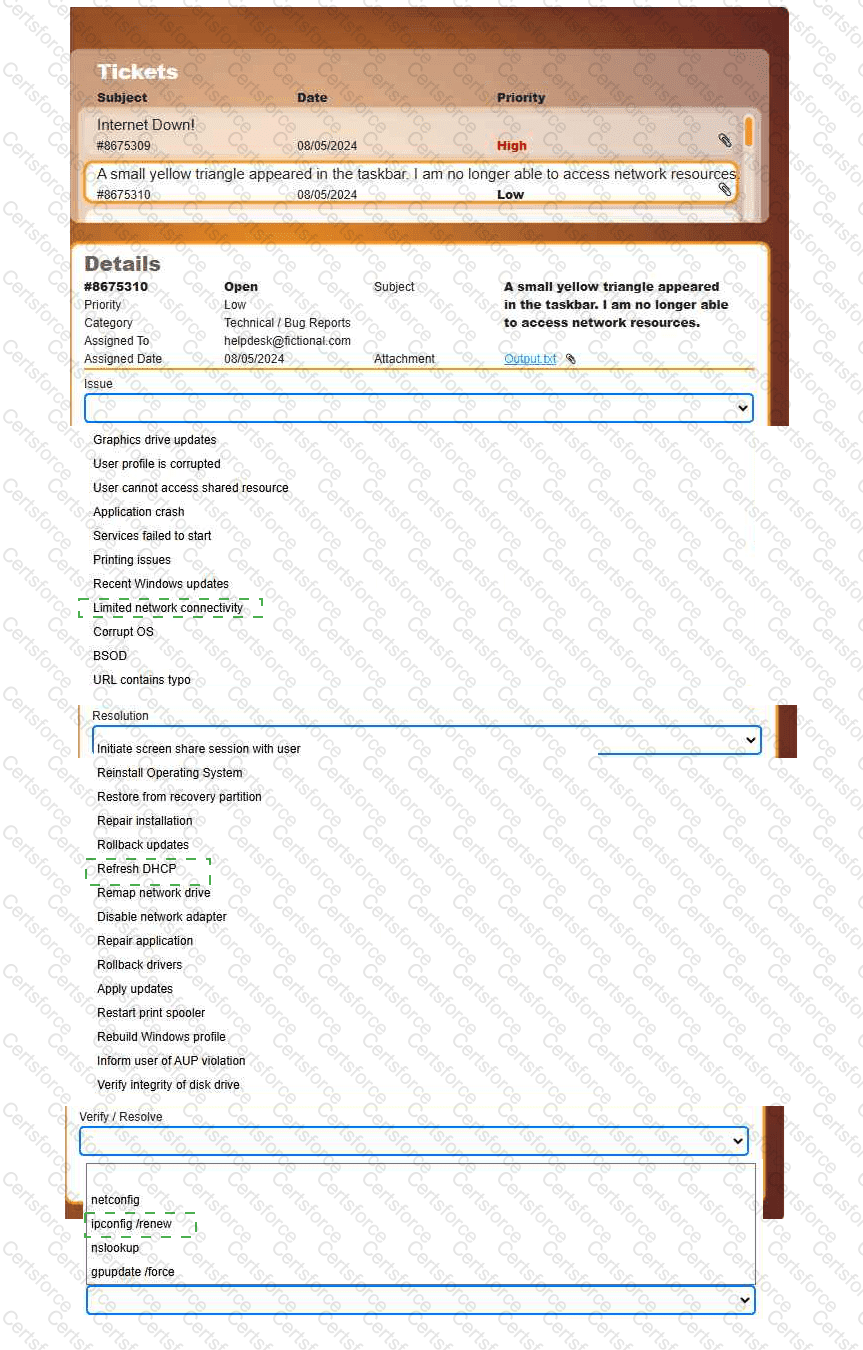
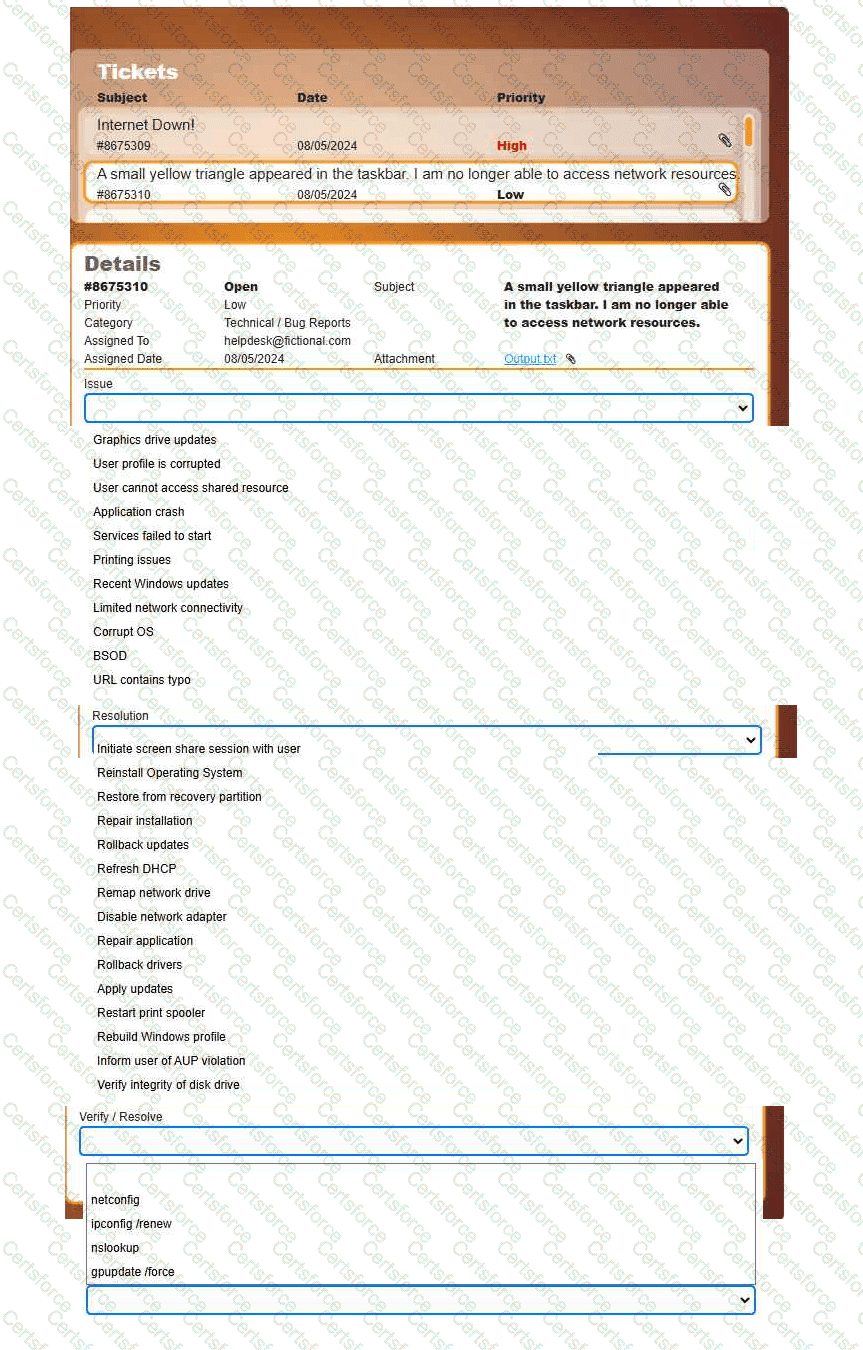
Welcome to your first day as a Fictional Company, LLC helpdesk employee. Please work the tickets in your helpdesk ticket queue.
INSTRUCTIONS
Click on individual tickets to see the ticket details, and view applicable attachments to
determine the problem.
Select the appropriate issue from the ' Issue ' drop-down menu. Then, select the most
efficient resolution from the ' Resolution ' drop-down menu. Finally, select the proper
command or verification to remediate or confirm your fix of the issue from the
' Verify/Resolve ' drop-down menu.
Which of the following Microsoft Windows versions would most likely be installed on a server?
Which of the following commands can a technician use to view the contents of a single file on a Linux terminal?
A user is trying to install 3-D rendering software on a new Windows computer, but the installation fails. An error states that the system does not meet the minimum hardware configuration. Which of the following features should the user check first?
A user wants to connect a retro gaming console to the internet so that they can participate in online gaming. In order for the console to work, the Wi-Fi connection must adhere to a WPA-protected broadcast. Which of the following is the best option for the user to implement?
A user logs in daily and cannot print a report. Help desk fixes it each day, but the issue recurs. What should be done so the issue doesn’t recur? (Select two)
A technician is selecting a remote access method so users can securely access Linux and Windows servers when working from home. Which of the following should the technician choose to best meet this requirement?
An engineer notices that many websites prompt users to input login and payment details. The engineer wants to require the browser to encrypt communications. Which of the following best helps to protect sensitive data?