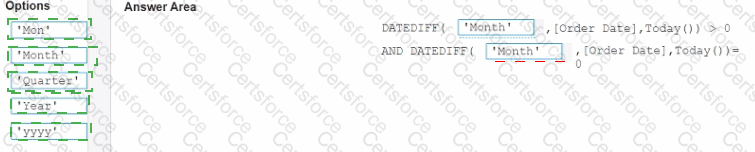
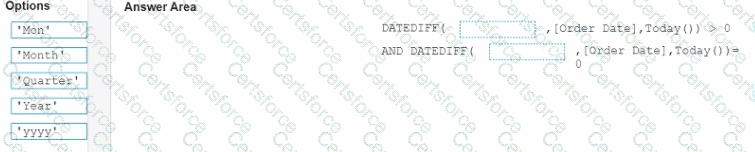
In a worksheet, you have a calculated column named YTD Sales that uses the following formula.
[Order Date] < = TODAY () AND DATETBUNC {“year”, [Order Dace]) = DATETPUNC) " year " , TODAY(J)
You want to create a calculated column named Exclude Current Month that will be dragged to the Filters shell. Exclude Current Month will exclude the current month values from YTD Sales.
How should you complete the formula for Exclude Current Month? (Drag the appropriate Options to the Answer Area and drop into the correct locations.)
How should a Data Analyst sort data by Sales across multiple dimensions in Tableau?
A Data Analyst has the following dashboard.
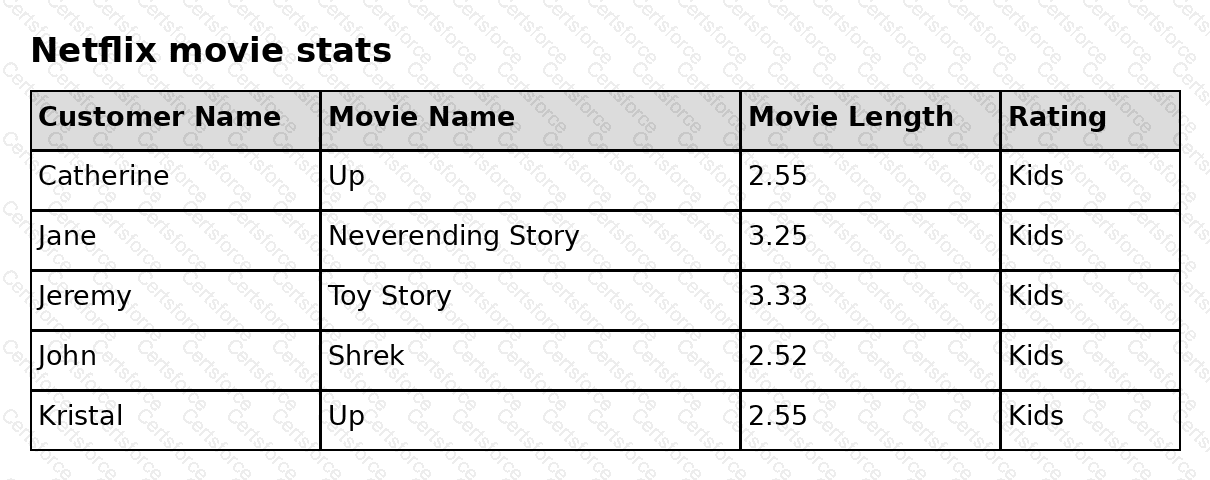
The analyst wants a specific web page to open in the default web browser when a user clicks the sheet.
What should the analyst do?
You subscribe to a view that delivers a daily email to your inbox.
You want to make the subscription available to other stakeholders.
What should you do?
You have the following visualization.
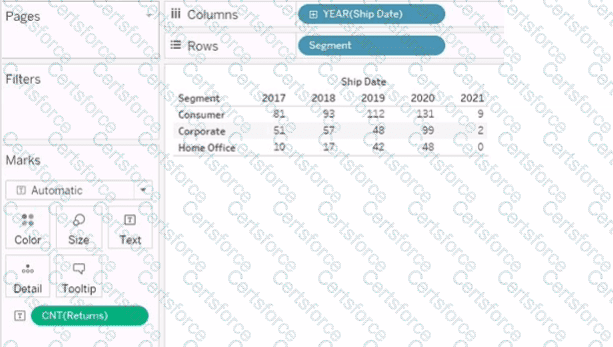
You want the count of Returns displayed only for the first year in the table.
How should you complete the formula in the calculated field? (Use the dropdowns in the Answer Area to select the correct options to complete the formula.)

When using a Show/Hide button in Tableau, what happens if the object is in a Tiled layout container?
You have a workbook that connects to a database. The database requires authentication.
You plan to publish the workbook and schedule a daily refresh of the data.
Which two conditions must be met to schedule the refresh? Choose two.
A Data Analyst at a coffee company has the following visualization already built.
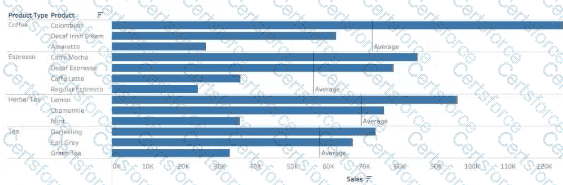
The analyst wants to make this more visually appealing by coloring the bars based on whether they are above or below the Average Sales within each Product Type.
Which calculation should the analyst use to calculate the Average Sales for each Product Type?
You have a Tableau workbook that contain three worksheets named Sheet1 Sheet2 and Sheet3.
You create several filters.
From the Data Source page you plan to add data source fillers
When type of filter will appear in the Edit Data Source Filters dialog box?
You have the following tiled dashboard that has one sheet.
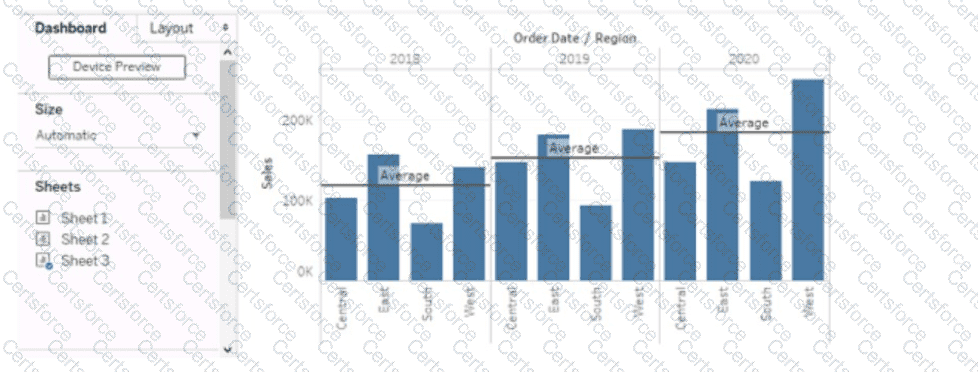
You want to replace the sheet with Sheet2.
What should you do?