You are creating a custom trainable classifier to Identify organizational product codes referenced in Microsoft 36S content. You identify 300 files to use as seed content When? should you store the seed content?
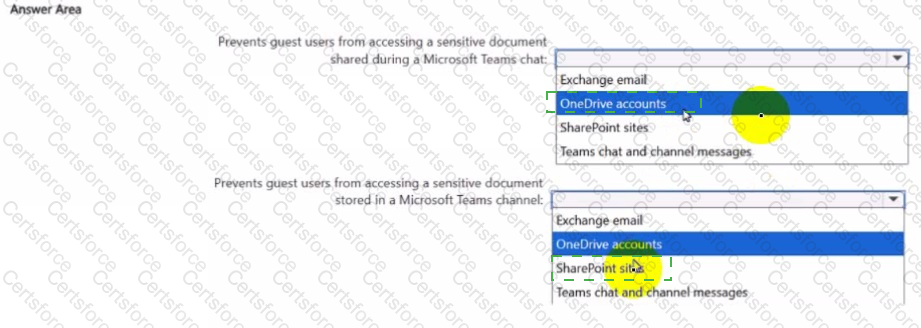
You create a data loss prevention (DIP) policy that meets the following requirements:
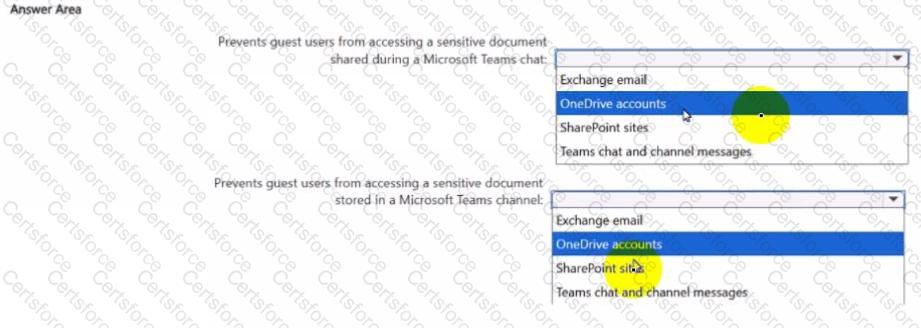
• Prevents guest users from accessing a sensitive document shared during a Microsoft Teams chat
• Prevents guest users from accessing a sensitive document stored in a Microsoft Team? channel
Which location should you select for each requirement? To answer, select the appropriate options in the answer area NOTE: Each correct selection is worth one point.
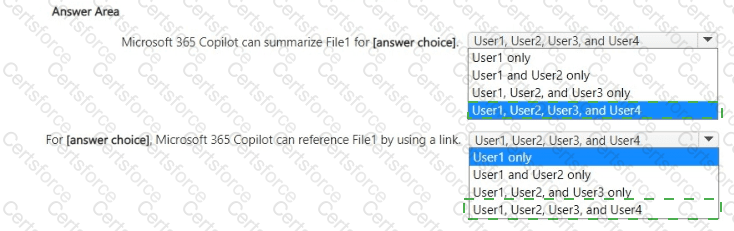
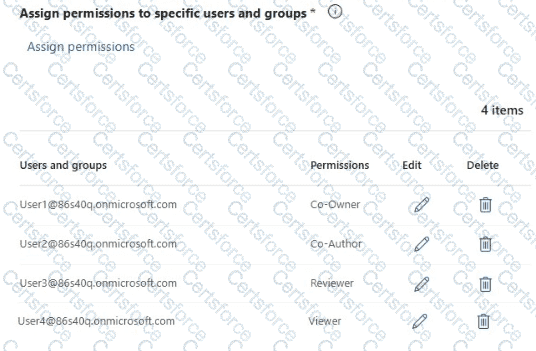
You have a Microsoft 365 E5 subscription that contains four users named User1, User2, User3, and User4 and a file named File1.docx.
To File1, you apply a sensitivity label that has the permissions shown in the following exhibit.
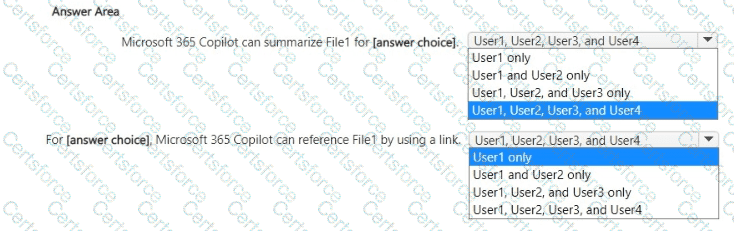
Use the drop-down menus to select the answer choice that completes each statement based on the information presented in the graphic.
NOTE; Each correct selection is worth one point.
You have a Microsoft 365 tenant that uses Microsoft Purview Information Protection.
You create a sensitivity label named Sensitivity1 and configure Sensitivity1 to encrypt files and emails.
You publish Sensitivity1.
You discover that users are NOT prompted to apply Sensitivity1 to their files and email.
You need to ensure that the users must apply Sensitivity1 to their files and email before saving the files or sending the emails. The solution must meet the following requirements:
• Prevent users from removing the label from the files and emails.
• Minimize administrative effort
What should you do?
HOTSPOT
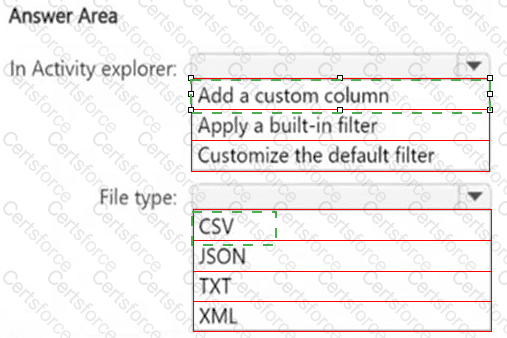
You have a Microsoft 365 E5 subscription that has data loss prevention (DLP) implemented.
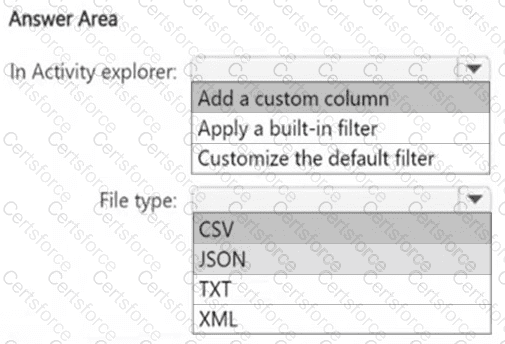
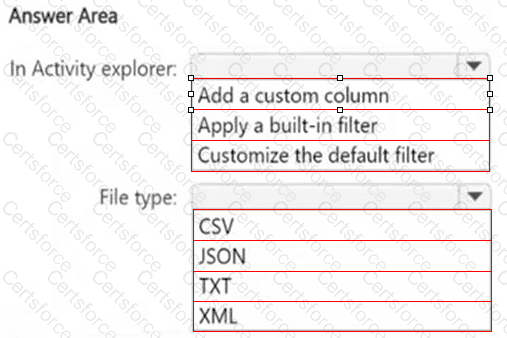
You plan to export DLP activity by using Activity explorer.
The exported file needs to display the sensitive info type detected for each DLP rule match.
What should you do in Activity explorer before exporting the data, and in which file format is the file exported? To answer, select the appropriate options in the answer area.
NOTE: Each correct selection is worth one point.
You have a Microsoft 365 E5 subscription that contains three users named User1, User2, and User3 and a file named Filetdocx.
You create a sensitivity label named Label1 as shown in the following exhibit.
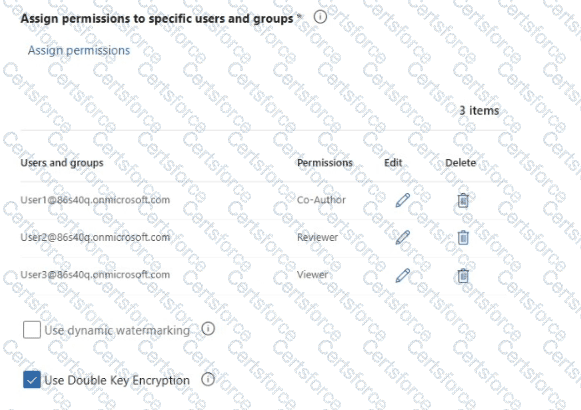
You apply Label1 to File1.
For which users can Microsoft 365 Copilot summarize File1?
You have a Microsoft S65 E5 subscription that contains two users named User! and Admin1 Admin1 manages audit retention policies for the subscription.
You need to ensure that the audit logs of User1 will be retained for 10 years.
What should you do first?
You have a Microsoft 365 E5 subscription that contains a data loss prevention (DLP) policy named DLP1. DLP1 contains the DLP rules shown in the table.
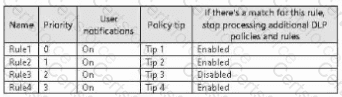
You need to ensure that when a document matches all the rules, users will see Tip 2.
What should you change?
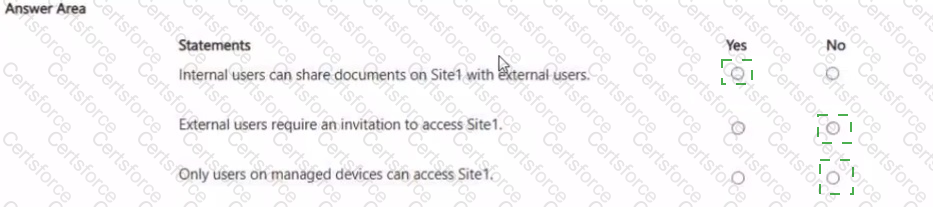
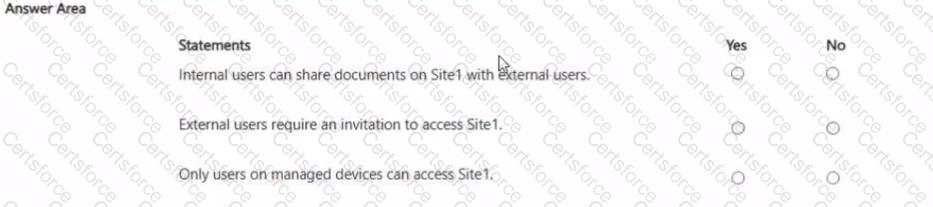
You have a Microsoft 365 E5 subscription that contains a Microsoft SharePoint Online site named Site1 and a sensitivity label named Label 1.
The external sharing settings for Site1 are configured as shown in the Site1 exhibit. (Click the Site1 tab.)
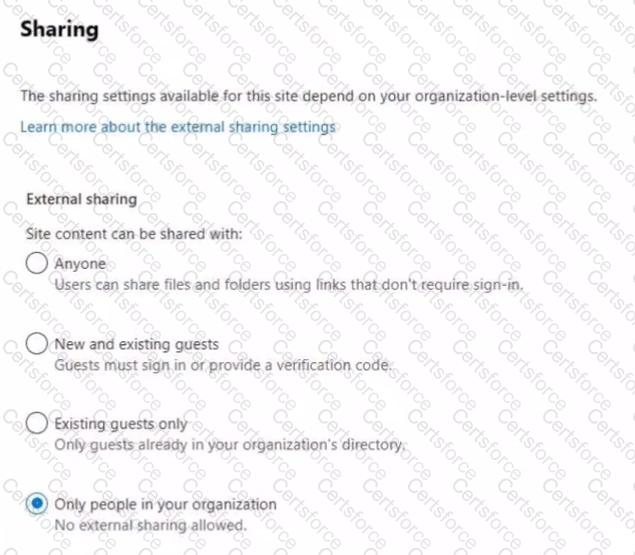
The external sharing settings for Label! are configured as shown in the Label! exhibit. (Click the Label1 tab.)
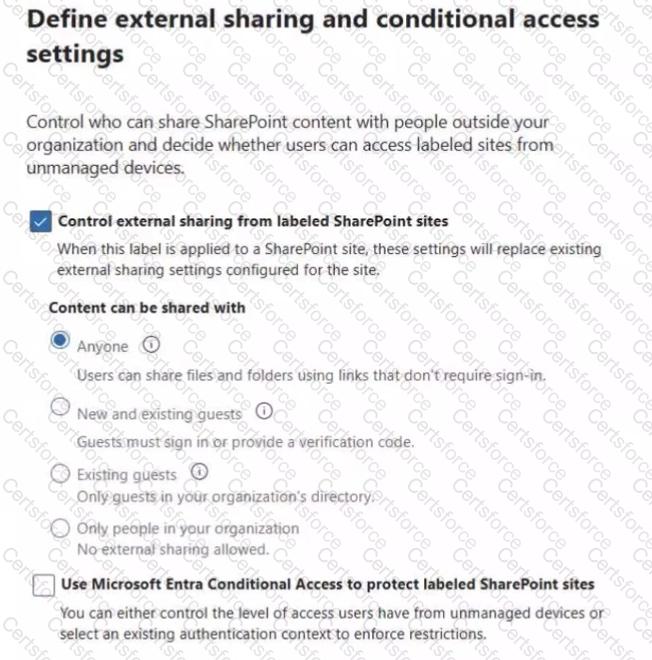
Label1 is applied to Site1.
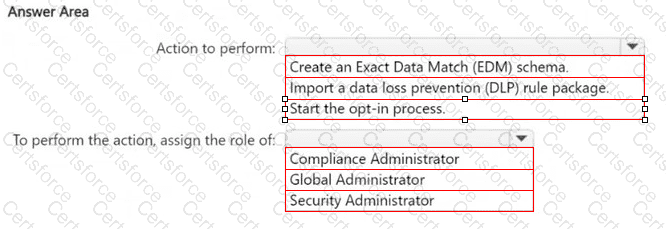
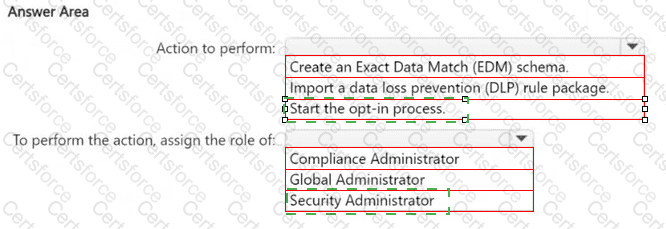
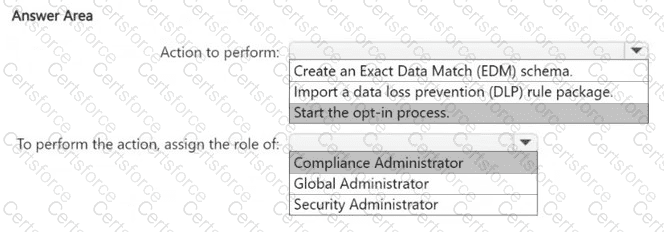
You have a new Microsoft 365 E5 tenant.
You need to create a custom trainable classifier that will detect product order forms. The solution must use the principle of least privilege.
What should you do first? To answer, select the appropriate options in the answer area.
NOTE: Each correct selection is worth one point.