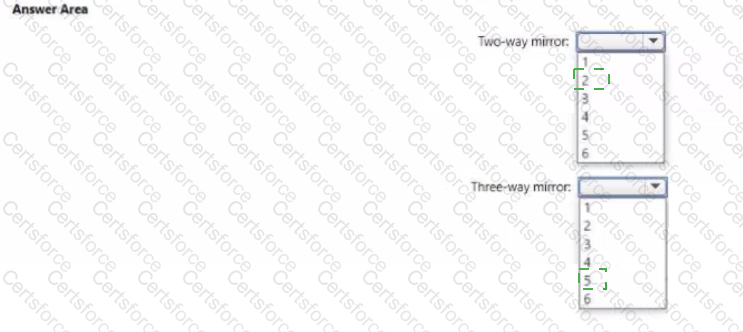
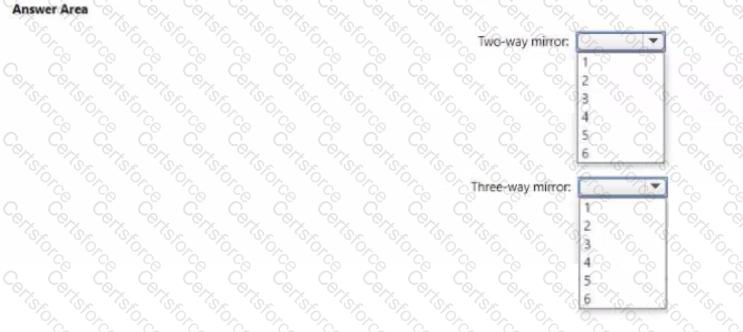
You have a server named Server1 that runs Windows Server Server1 has a just-a-bunch-of-disks (JBOD) enclosure attached.
You plan to create a storage pool on Server1 and a virtual disk that will use a mirror layout.
You are considering whether to use a two-way or a three-wa y mirror layout.
What is the minimum number of disks required for each type of minor layout? To answer, select the appropriate options in the answer area.
NOTE: Each correct selection is worth one point.
Task 5
You have an application that is copied to a folder named C:\app on SRV1. C:\app also contains also a Dockerfile for the app.
On SRV1. you need to create a container image for t he application by using the Dockerfile. The container image mutt be named app1.
Task 2
You need to ensure that you can manage SRV1 remotely by using PowerShell
Task 8
You need to deploy a new primary DNS zone named fabrikam.com to DC1. The zone must be signed.
Your network contains an on-premises Active Directory Domain Services (AD DS) domain named contoso.com. The domain contains the objects shown in the following table.
You plan to sync contoso.com with a Microsoft Entra tenant by using Microsoft Entra Connect sync. You need to ensure that all the objects can be used in Conditional Access policies. What should you do?
You need to ensure that Automanage meets the technical requirements.
On which Azure virtual machines should you enable Automanage?
You need to ensure that VM3 meets the technical requirements.
What should you install first?
Task 1
You need to crea te a group-managed service account (gMSA) named gMSA1 and make gMSA1 available on SRV1.
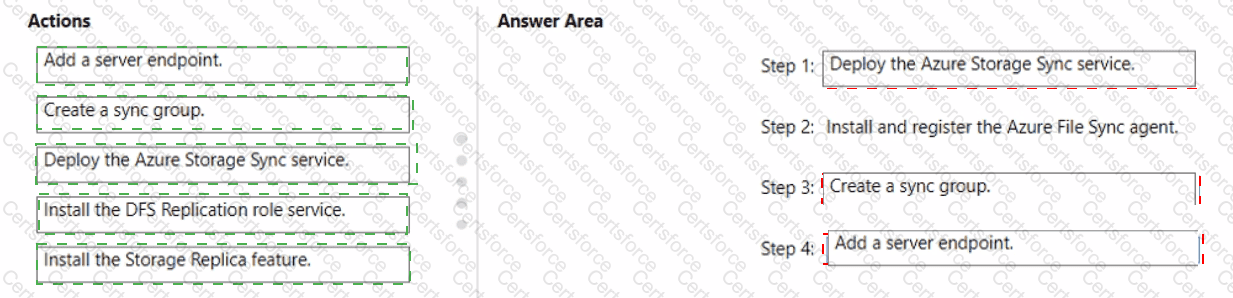
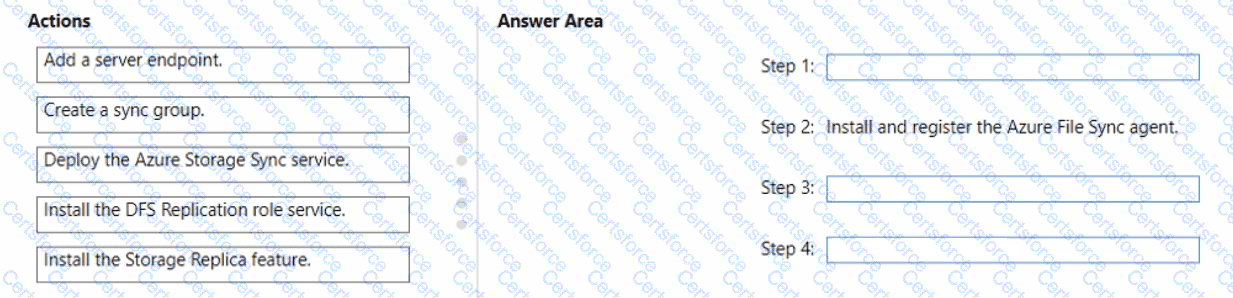
You need to implement the planned change for Data1.
Which actions should you perform in sequence? To answer, drag the appropriate actions to the correct order. Each action may be used once, more than once, or not at all. You may need to drag the split bar between panes or scroll to view content.
NOTE: Each correct selection is worth one point.
You need to implement the planned changes for Microsoft Entra users to sign in to Server1.
Which PowerShell cmdlet should you run?