
(Refer to the exhibit.
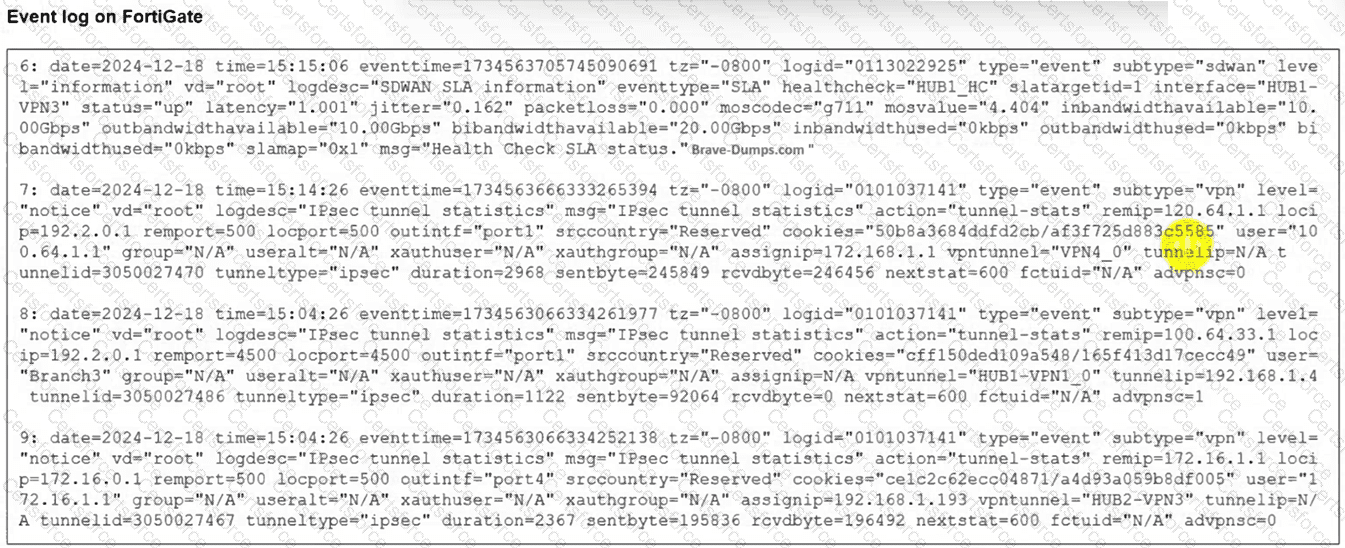
The event log on a FortiGate device is shown.
Based on the output shown in the exhibit, what can you conclude about the tunnels on this device? (Choose one answer))
(Which two features must you configure before FortiGate can steer traffic according to SD-WAN rules? Choose two answers.)
Which two statements correctly describe what happens when traffic matches the implicit SD-WAN rule? (Choose two.)
Refer to the exhibits.
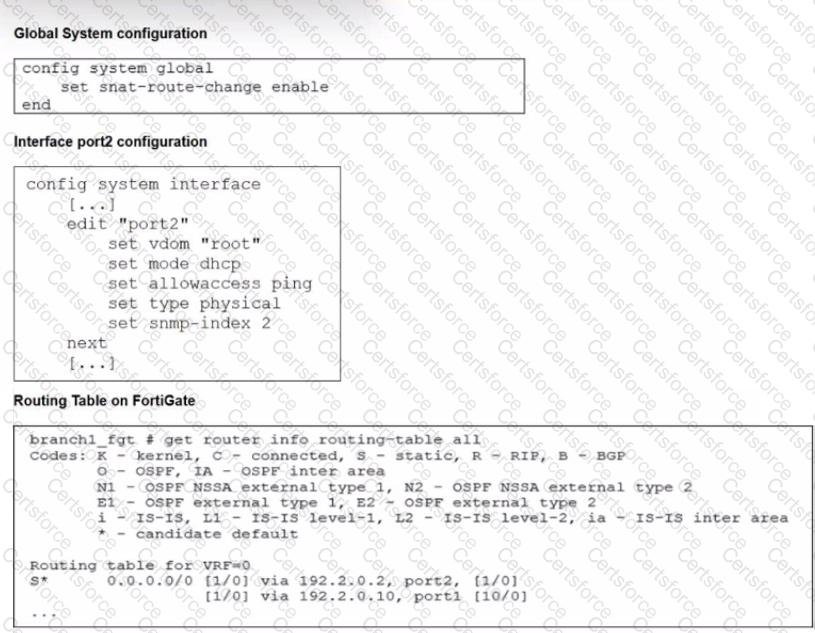
The exhibits show the source NAT (SNAT) global setting. port2 interface settings, and the routing table on FortiGate.
The administrator increases the member priority on port2 to 20.
Upon configuration changes and the receipt of new packets, which two actions does FortiGate perform on existing sessions established over port2? (Choose two.)
(Refer to the exhibit.
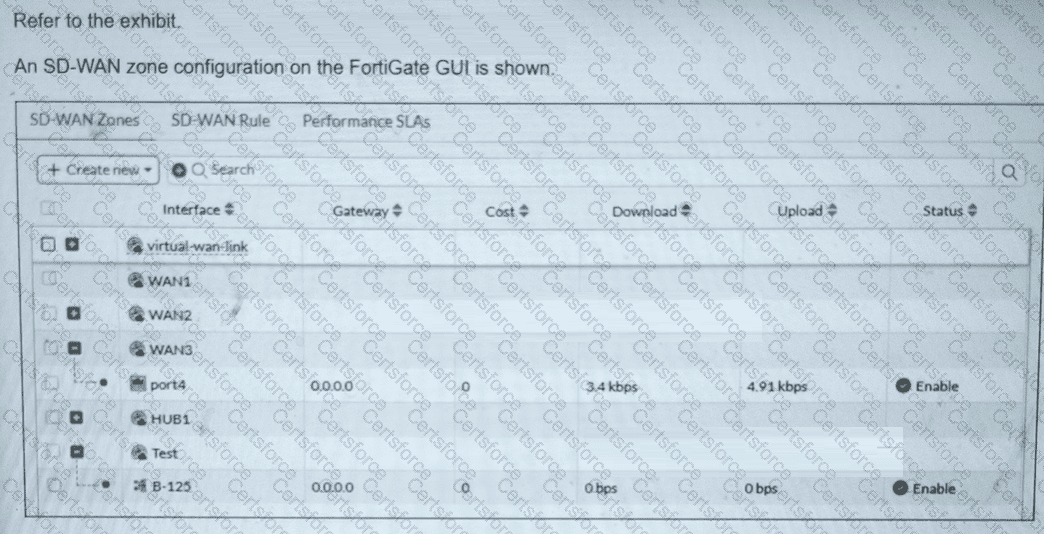
An SD-WAN zone configuration on the FortiGate GUI is shown.
What can you conclude about the zone and member configuration on this device? Choose one answer.)
Which three factors about SLA targets and SD-WAN rules should you consider when configuring SD-WAN rules? (Choose three.)
Refer to the exhibit.
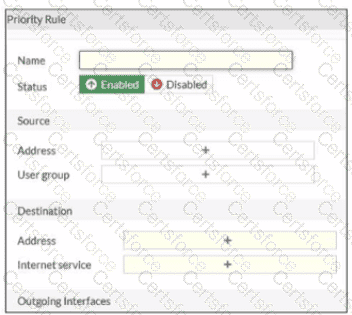
An administrator configures SD-WAN rules for a DIA setup using the FortiGate GUI. The page to configure the source and destination part of the rule looks as shown in the exhibit. The GUI page shows no option to configure an application as the destination of the SD-WAN rule Why?
Refer to the exhibit.
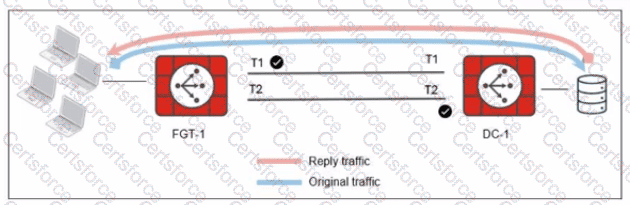
The administrator analyzed the traffic between a branch FortiGate and the server located in the data center, and noticed the behavior shown in the diagram.
When the LAN clients located behind FGT1 establish a session to a server behind DC-1, the administrator observes that, on DC-1, the reply traffic is routed overT2. even though T1 is the preferred member in
the matching SD-WAN rule.
What can the administrator do to instruct DC-1 to route the reply traffic through the member with the best performance?
