
FortiGate is integrated with FortiAnalyzer and FortiManager.
When creating a firewall policy, which attribute must an administrator include to enhance functionality and enable log recording on FortiAnalyzer and FortiManager?
Refer to the exhibit showing a debug flow output.
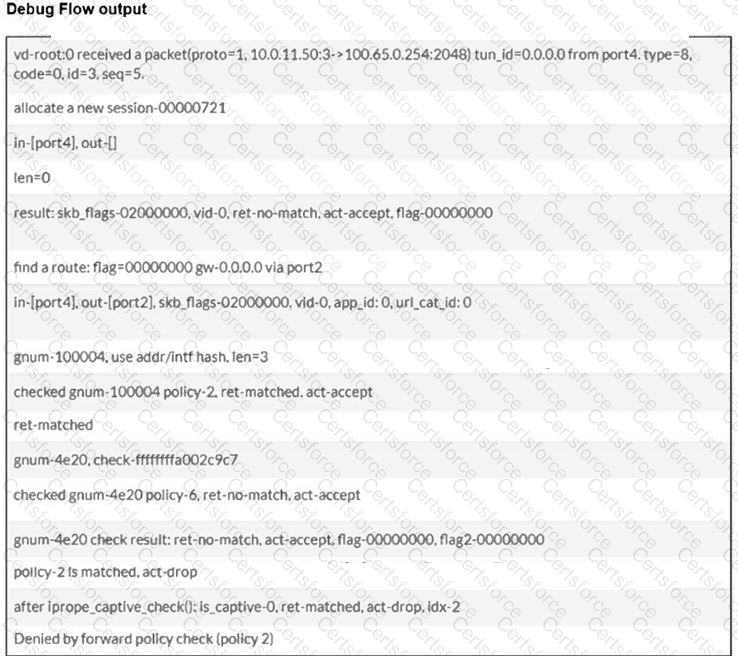
Which two conclusions can you make from the debug flow output? (Choose two answers)
When configuring the connection between FortiGate and FortiAnalyzer, which option indicates that reliable traffic is enabled? (Choose one answer)
Refer to the exhibit.
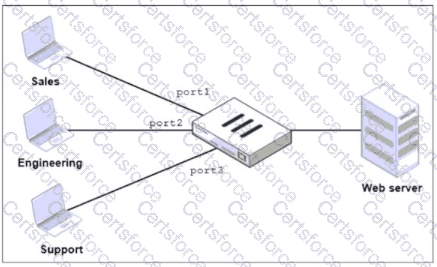
FortiGate has two separate firewall policies for Sales and Engineering to access the same web server with the same security profiles.
Which action must the administrator perform to consolidate the two policies into one?
An administrator creates a new address object on the root FortiGate (HQ-NGFW-1) in the Security Fabric. After synchronization, this object is not available on the downstream FortiGate (HQ-ISFW).
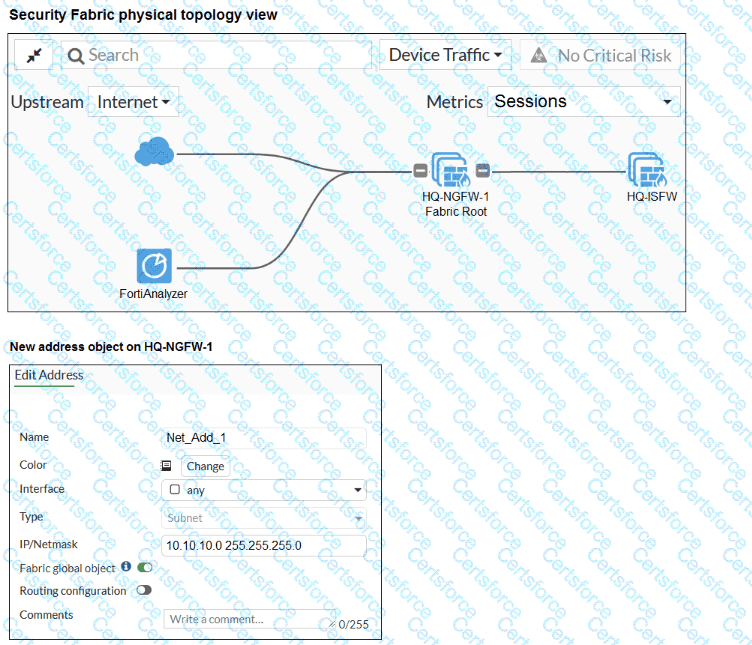
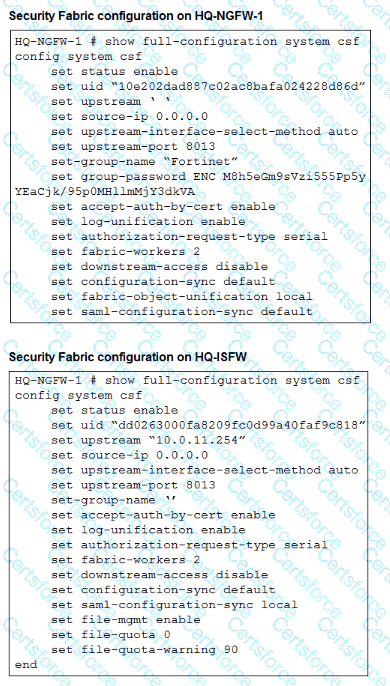
What must the administrator do to synchronize the address object?
An administrator has configured the following settings.
config system settings
set ses-denied-traffic enable
end
config system global
set block-session-timer 30
end
What are the two results of this configuration? (Choose two.)
Refer to the exhibits.
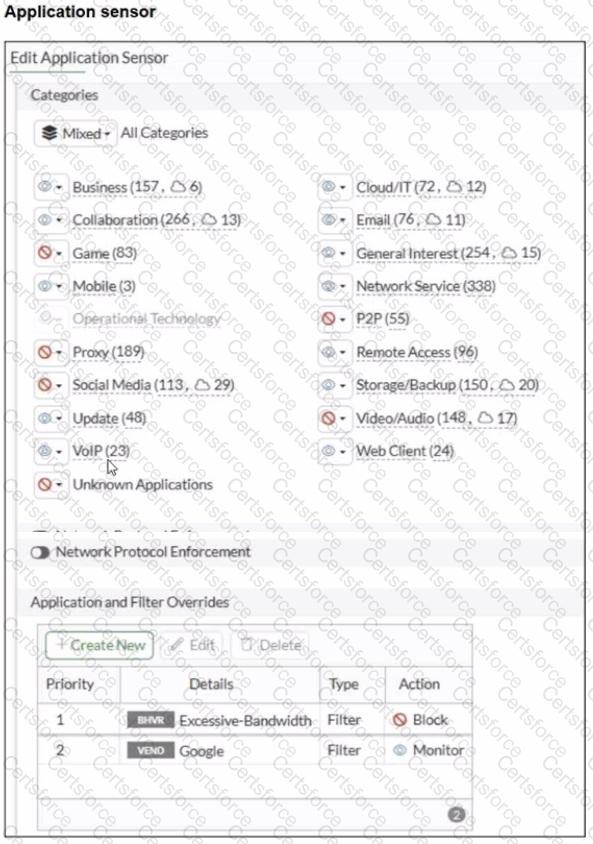
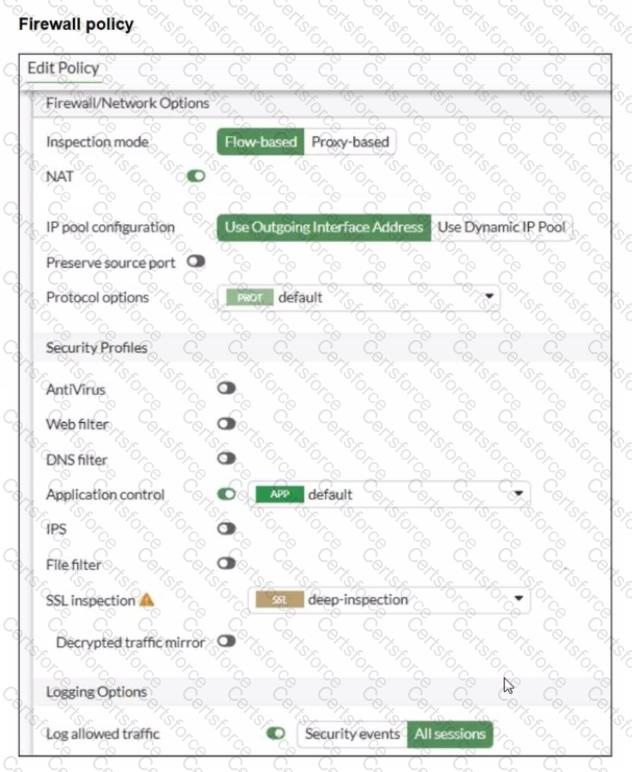
You have implemented the application sensor and the corresponding firewall policy as shown in the exhibits.
Which two factors can you observe from these configurations? (Choose two.)
Refer to the exhibit to view the firewall policy.
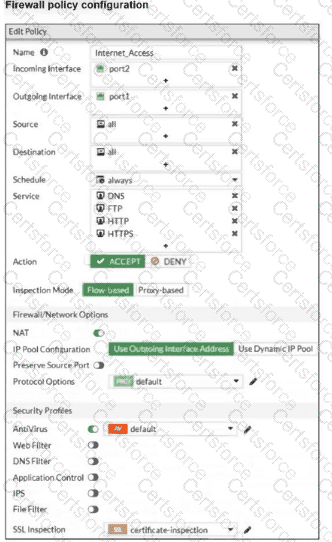
Why would the firewall policy not block a well-known virus, for example EICAR? (Choose one answer)
