
Which of the following is the best option to maintain a stable, tethered connection between a cell phone and a laptop?
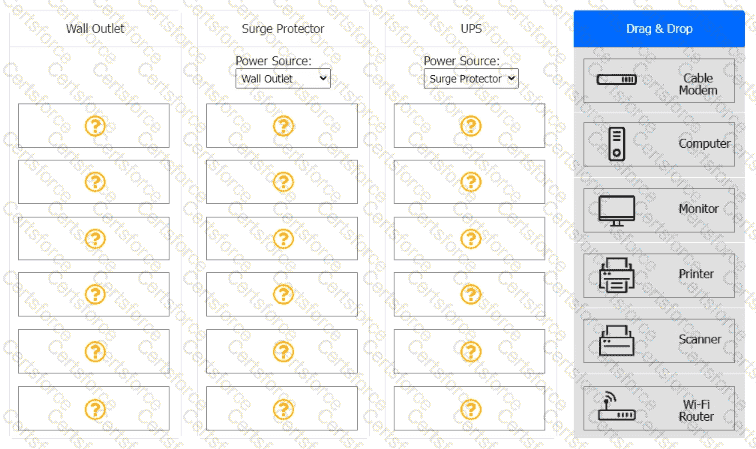
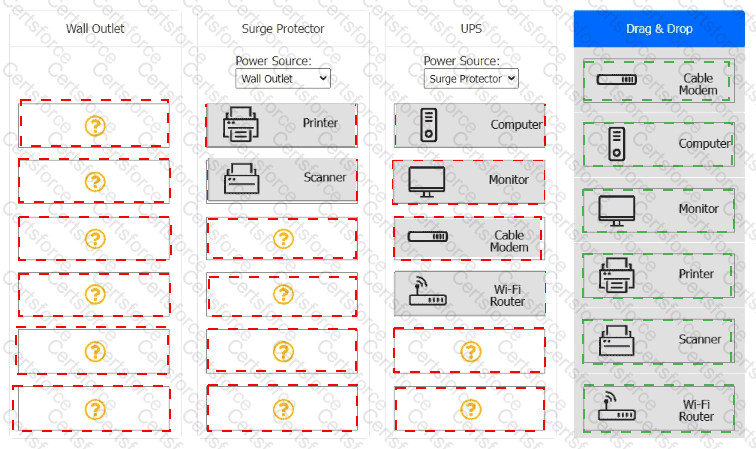
A customer recently experienced a power outage at a SOHO. The customer does not think the components are connected properly. A print job continued running for several minutes after the power failed, but the customer was not able to interact with the computer.
Once the UPS stopped beeping, all functioning devices also turned off.
In case of a future power failure, the customer wants to have the most time available to save cloud documents and shut down the computer without losing any data.
INSTRUCTIONS
-
Based on the customer ' s requirements, connect the customer ' s devices to the proper outlets. Select the power source for the Surge Protector and UPS. This may require reselecting dropdowns or removing tokens.
Each token may only be used once.
If at any time you would like to bring back the initial state of the simulation, please click the Reset All button.
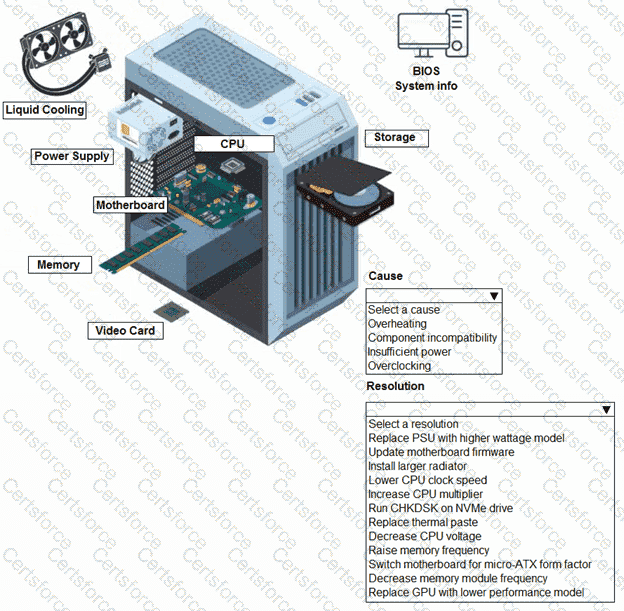
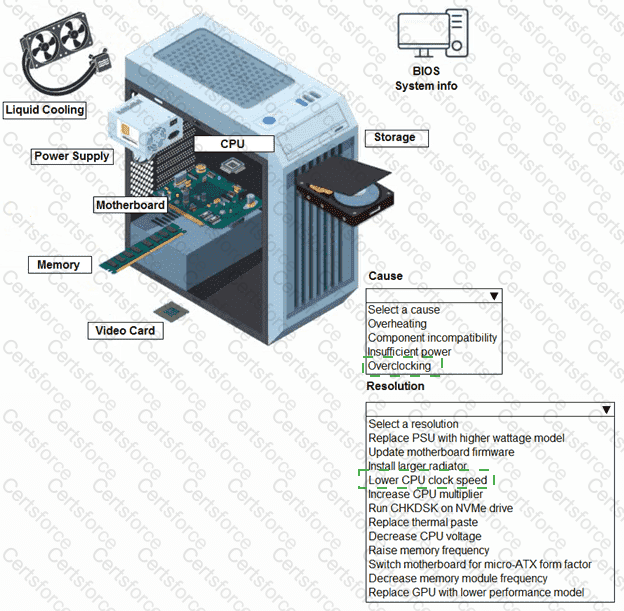
A customer built a computer for gaming, sourcing individual components and then assembling the system. The OS starts up, but within a few minutes the machine locks up. The customer brought the computer to a technician to diagnose the issue.
Which of the following storage devices is most suitable for quick data access and retrieval speeds on a laptop?
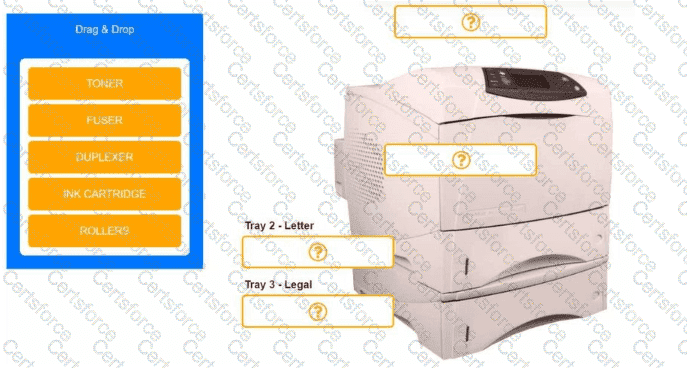
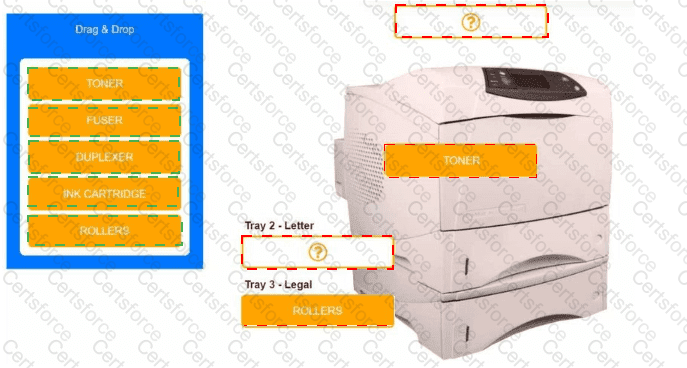
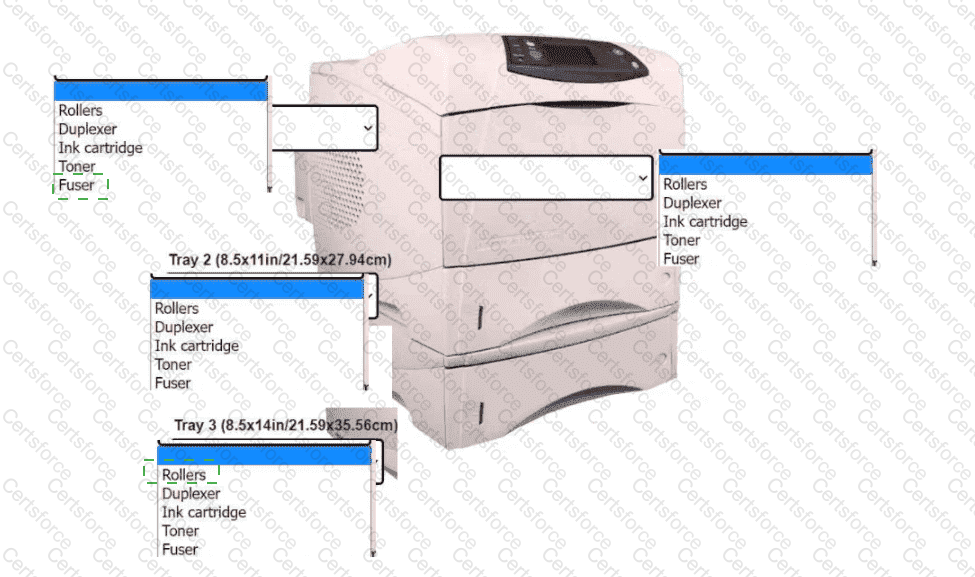
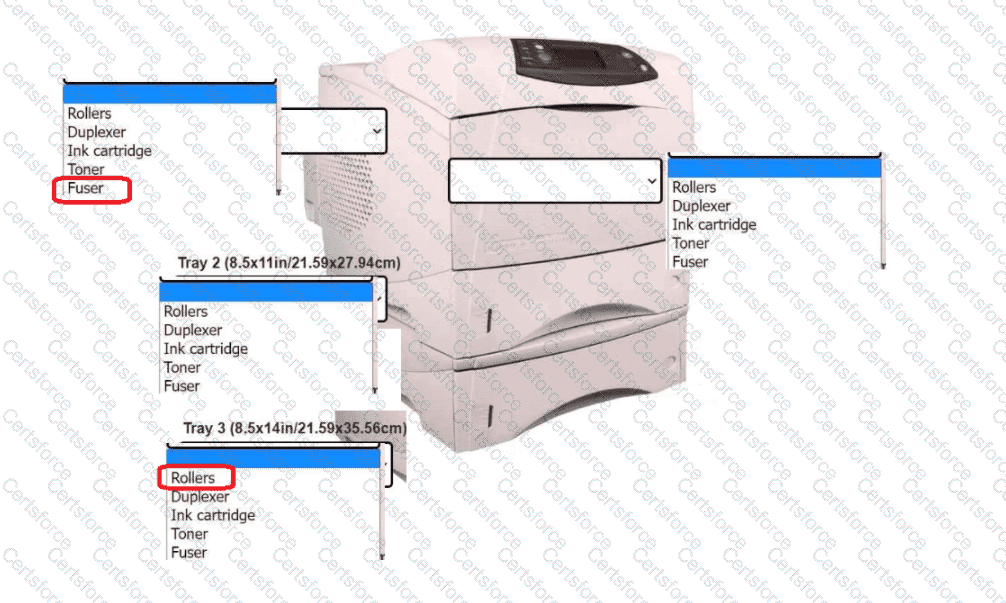
An office manager reports that a printer is experiencing performance issues. Printouts are smudging when they are handled, and, recently, whenever the manager tries to print oversized documents, the paper jams before anything is printed on it.
INSTRUCTIONS
Using the available printer parts, replace only the faulty components on the office printer to resolve the stated issues.
If at any time you would like to bring back the initial state of the simulation, please click the Reset All button.
A user receives a warning message on their tablet that states, " You are locked out due to unlawful activity. " The user was shopping for clothes online. Which of the following should a technician try first?
A user is trying to present a video in a conference room. The video appears when the user connects the computer to the TV display with an HDMI cable. However, there is no sound coming through. The computer and TV volumes are at 50%. Which of the following should the user perform next?
Which of the following is a characteristic to consider when selecting a satellite internet connection?
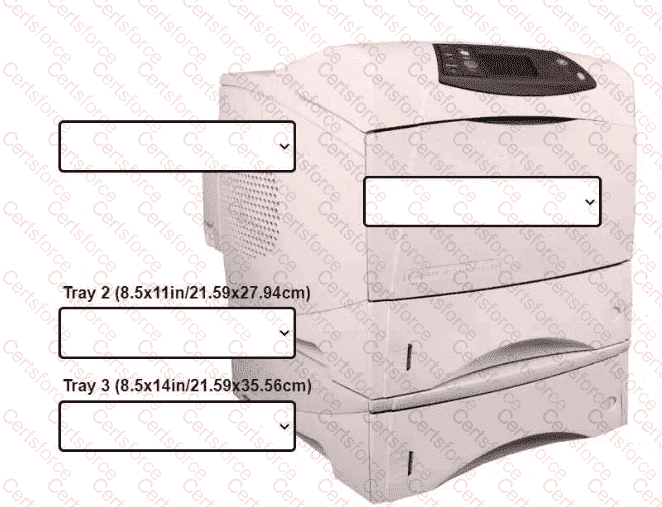
An office manager reports that a printer is experiencing performance issues. Printouts
are smudging when they are handled, and, recently whenever they need to print legal
sized documents, the paper jams before anything is printed on it.
The following paper sizes are used:
Letter (8.5x11in/21.59x27.94cm)
Legal (8.5x14in/21.59x35.56cm)
Oversized (11x17in/27.94x43.18cm)
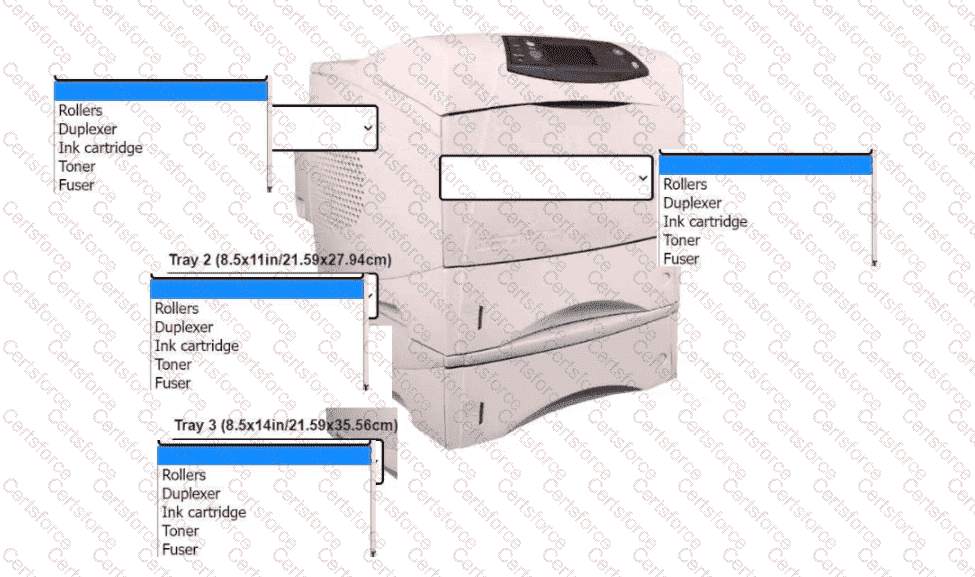
INSTRUCTIONS
Using the dropdown menus, select from the
available printer parts to replace only the
faulty components on the office printer to
resolve the stated issues.
If at any time you would like to bring back
the initial state of the simulation, please click
the Reset All button.
Which of the following display technologies is known for offering the highest contrast ratios?
 A printer with text boxes AI-generated content may be incorrect.