
Scenario 3:
After resolving numerous connectivity issues throughout the various branch sites, connectivity between applications and users is finally present. The network administrator is informed that during certain tests, applications are not performing as they are expected to. Users report that call quality has not fully improved and that some of their calls either drop or have poor voice quality where the conversation is breaking up. Other users are noticing that file transfers are slower than expect. A group of users from a few sites have reported slowness in accessing internal and external applications.
Exhibit.
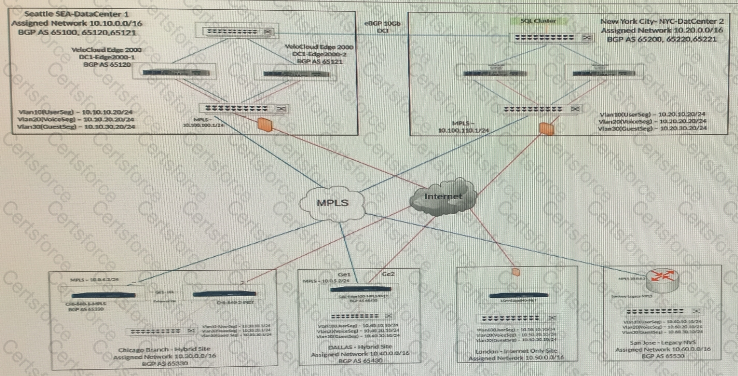
Users at a remote office are complaining about poor performance with certain applications. The network administrator has already configured Business Policies based on these requirements.
What is the sequence of parameters that the administrator can check to troubleshoot this problem? (Choose two.)

Submit