Code location
Value
Storage account property
supportsHttpsTrafficOnly
Decorator before the output
@secure
Function used to retrieve the storage account key
listKeys
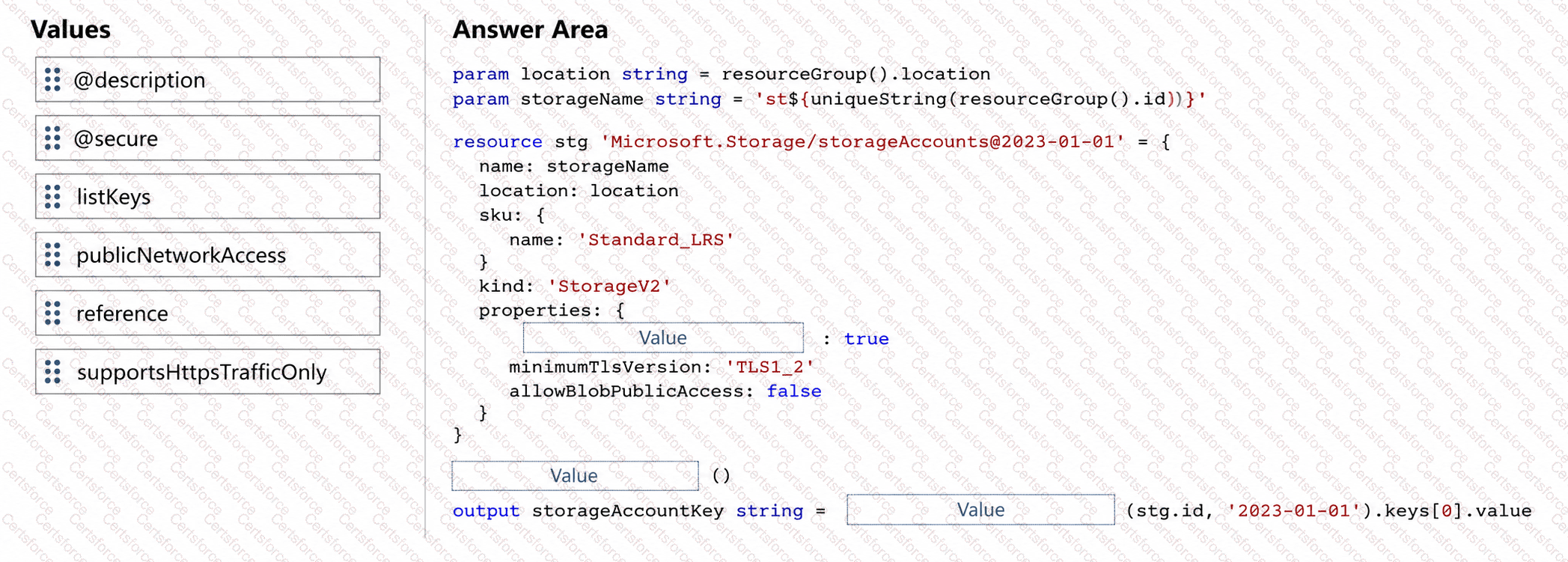
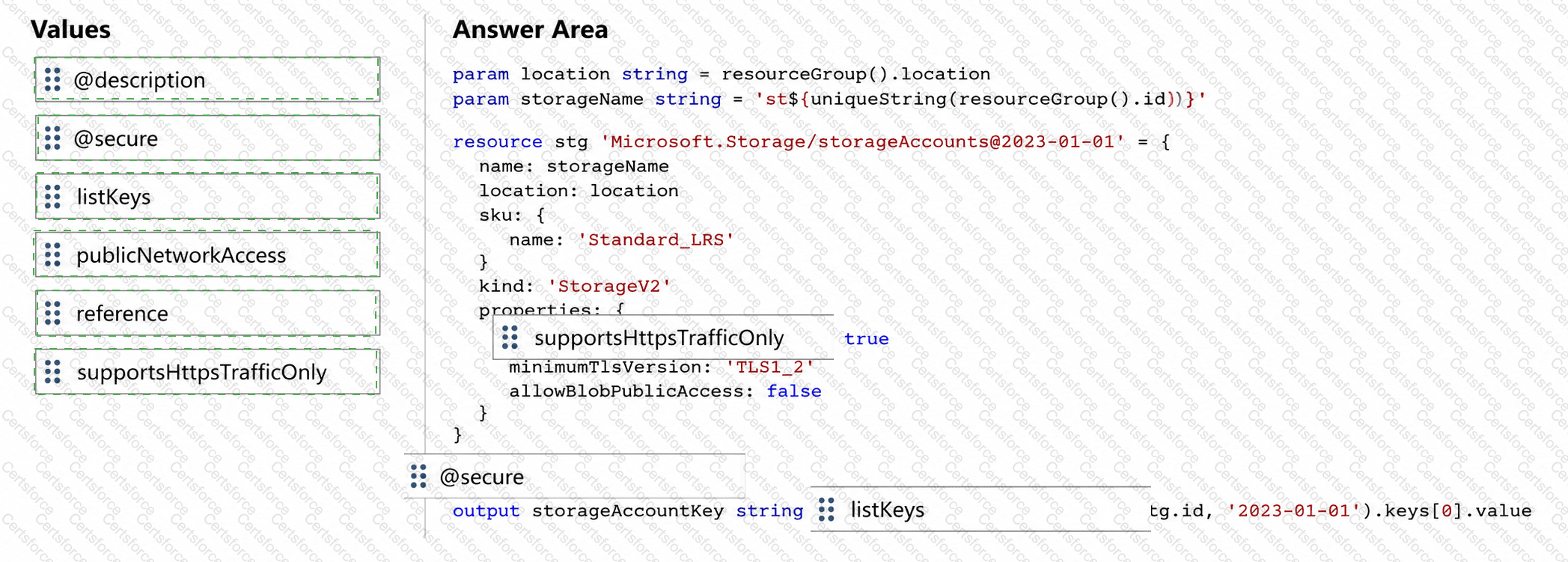
The completed relevant Bicep code is:
properties: {
supportsHttpsTrafficOnly: true
minimumTlsVersion: ' TLS1_2 '
allowBlobPublicAccess: false
}
@secure()
output storageAccountKey string = listKeys(stg.id, ' 2023-01-01 ' ).keys[0].value
The first value is supportsHttpsTrafficOnly. For Microsoft.Storage/storageAccounts, Microsoft defines this Boolean property as controlling whether the storage service accepts HTTPS traffic only. Setting supportsHttpsTrafficOnly: true rejects unencrypted HTTP requests and ensures storage data is transmitted over encrypted HTTPS connections. Microsoft’s Bicep resource examples explicitly use this property for secure StorageV2 deployments. Microsoft Learn
The second value is @secure. Bicep supports the @secure() decorator on string and object outputs. Microsoft states that a secure output is treated as sensitive and its value is not stored in deployment history and is not displayed in Azure portal, Azure CLI, or PowerShell deployment output. This is exactly what is required when an output contains an account key. Microsoft Learn
The final value is listKeys. Storage account access keys are retrieved through the Storage resource provider ' s listKeys operation. Microsoft documents using listKeys() when a deployment needs to obtain a storage-account key dynamically. Microsoft Learn
publicNetworkAccess controls network reachability rather than HTTPS enforcement, while reference retrieves resource properties rather than storage access keys.
Final mapping:
supportsHttpsTrafficOnly → @secure → listKeys


Submit