
Scenario 2:
After completing the branch activation activities for all required branches, the network administrator attempts to test connectivity between the various branches and between the hubs and branches. The administrator notices a lack of connectivity despite being certain that configurations have been complete. The administrator also observed that several users are reporting intermittent connectivity to some of the applications they are accessing. Other users are reporting no access to these applications. Other users at some of the branches claim they cannot get to certain public resources. The administrator wants to ensure that all sites can talk to each other and all resources are accessible.
Exhibit.
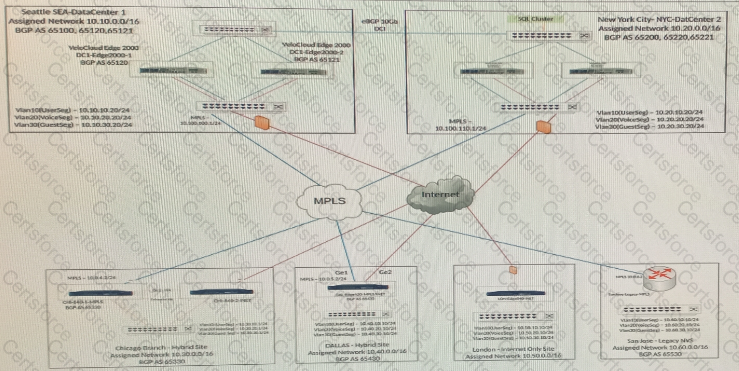
When checking connectivity from the San Jose branch, all users report that they can reach certain resources at the main data center. They are unable to reach locations elsewhere. The network administrator investigates and first looks at the Overlay Flow Control (OFC) Table.
What should the network administrator look for next to determine what the issue might be?

Submit