The best policy types for defining each access policy are as follows:
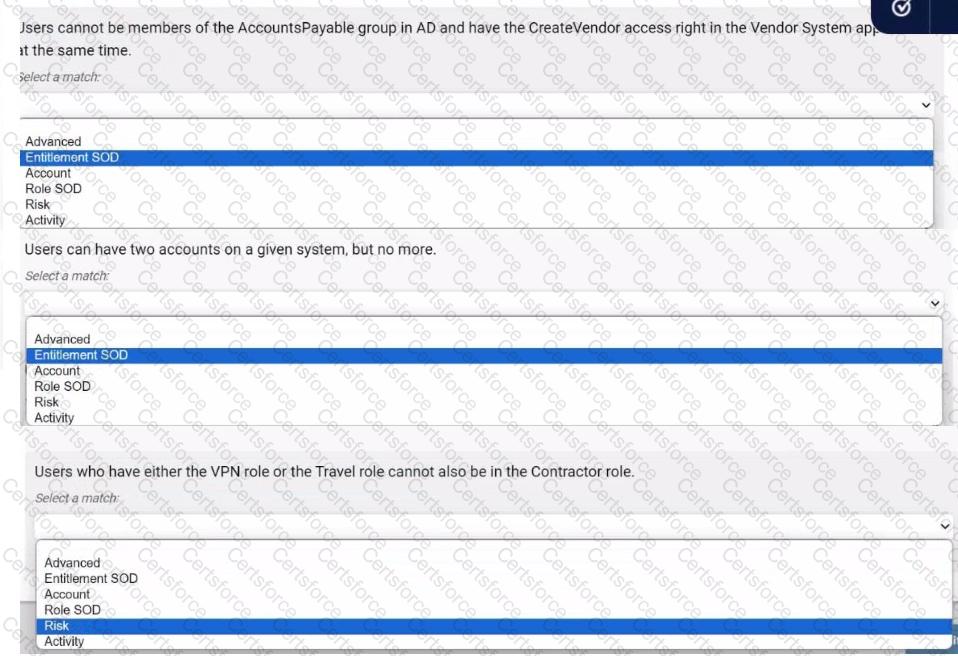
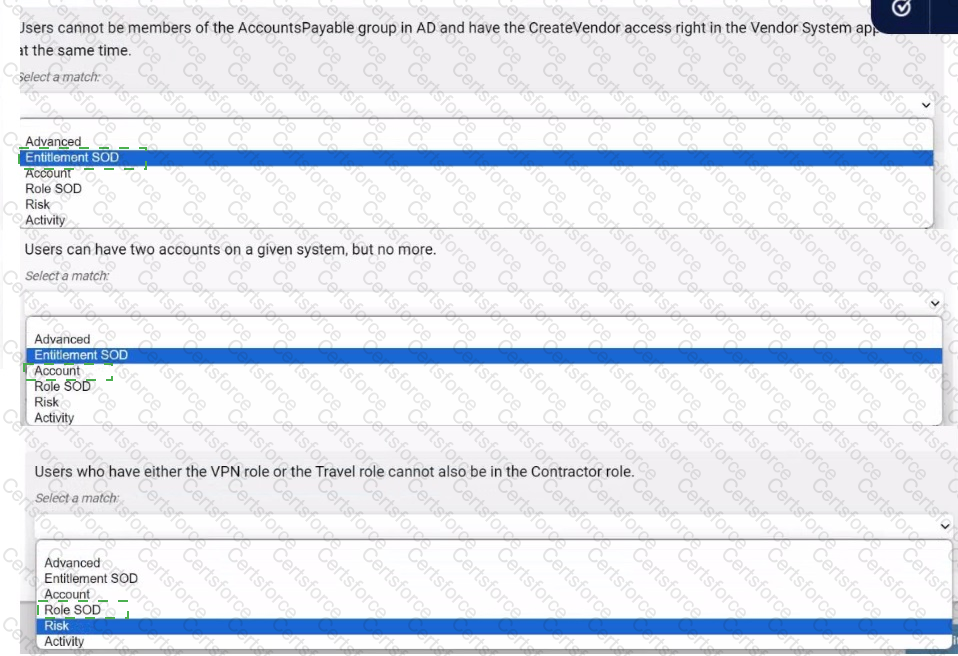
Users cannot be members of the AccountsPayable group in AD and have the CreateVendor access right in the Vendor System application at the same time.Answer: Entitlement SOD
This policy deals with conflicting access rights at the entitlement level (i.e., group membership and specific access rights). " Entitlement Separation of Duties " (SOD) ensures that users don ' t have access to conflicting entitlements.
Users can have two accounts on a given system, but no more.Answer: Account
This policy pertains to the number of accounts a user can have on a system. The " Account " policy type manages restrictions on how many accounts users can possess.
Users who have either the VPN role or the Travel role cannot also be in the Contractor role.Answer: Role SOD
This policy involves conflicting roles. " Role Separation of Duties " (Role SOD) ensures that users cannot have conflicting roles, such as VPN and Contractor, or Travel and Contractor.
Comprehensive Detailed Explanation with All IdentityIQ Engineer References
Entitlement SOD: This policy prevents users from having conflicting access rights. In this case, being in the AccountsPayable group while also having access to create vendors creates a potential conflict. IdentityIQ uses Entitlement SOD to handle these scenarios by preventing such combinations of entitlements.
Account: This type of policy limits the number of accounts users can have on a given system. By setting up an Account policy, IdentityIQ ensures that a user cannot exceed the set number of accounts (e.g., two accounts on a system).
Role SOD: When dealing with conflicting roles (such as VPN or Travel role conflicting with a Contractor role), Role SOD policies ensure that users do not end up in roles that violate governance or security policies. This type of policy ensures role-based access conflicts are mitigated in IdentityIQ.
SailPoint IdentityIQ Compliance Manager Guide (section on defining and managing Separation of Duties (SOD) policies).


Submit