Microsoft Administering Windows Server AZ-802 Question # 64 Topic 7 Discussion
AZ-802 Exam Topic 7 Question 64 Discussion:
Question #: 64
Topic #: 7
You need to configure BitLocker on Server4.
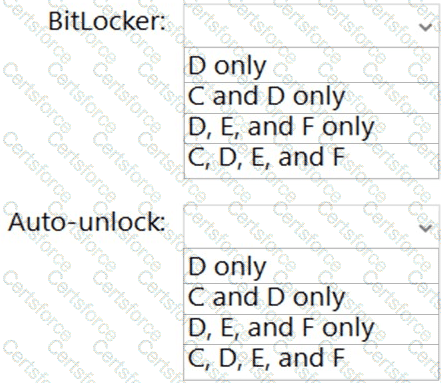
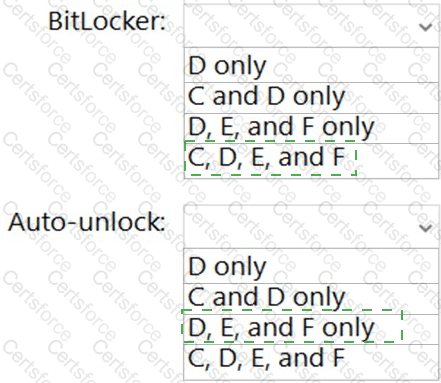
On which volumes can you turn on BitLocker, and on which volumes can you turn on auto-unlock? To answer, select the appropriate options in the answer area.
BitLocker: C, D, E, and F. Auto-unlock: D, E, and F only.
BitLocker Drive Encryption can be enabled on every volume shown in Server4 ' s disk configuration -- the NTFS-formatted operating system volume (C:), the NTFS data volume (D:), and the two ReFS-formatted data volumes (E: and F:). BitLocker has no file-system restriction that excludes ReFS: Microsoft ' s ReFS documentation and BitLocker ' s own volume support explicitly confirm that ReFS-formatted volumes, including already-encrypted ones that are later expanded, are fully supported, so E: and F: are just as eligible for BitLocker as the NTFS volumes. BitLocker auto-unlock, however, is a feature limited to fixed data volumes: it lets a data volume unlock automatically at startup using a key protected by the already-unlocked operating system volume, and it is not applicable to the OS volume itself, since the OS volume instead relies on the TPM (or a startup key/PIN) to unlock during boot -- there is no separate outer volume for it to depend on. Because C: is the operating system volume, auto-unlock cannot be configured on it, leaving D:, E:, and F: as the volumes eligible for auto-unlock. Therefore, BitLocker can be turned on for all four volumes (C, D, E, and F), while auto-unlock is available only on the three data volumes (D, E, and F).
Contribute your Thoughts:
Chosen Answer:
This is a voting comment (?). You can switch to a simple comment. It is better to Upvote an existing comment if you don't have anything to add.


Submit