In Windows Server AD DS, group scope determines which groups/accounts can be members. The AZ-800 study materials summarize: “Domain Local groups can include accounts, Global groups, and Universal groups from any domain and Domain Local groups from the same domain only.Global groups can include accounts and other Global groups from the same domain only.Universal groups can include *accounts, Global groups, and Universal groups from any domain.” In addition, distribution vs. security does not change the scope membership rules; it only affects whether the group can be assigned permis sions.
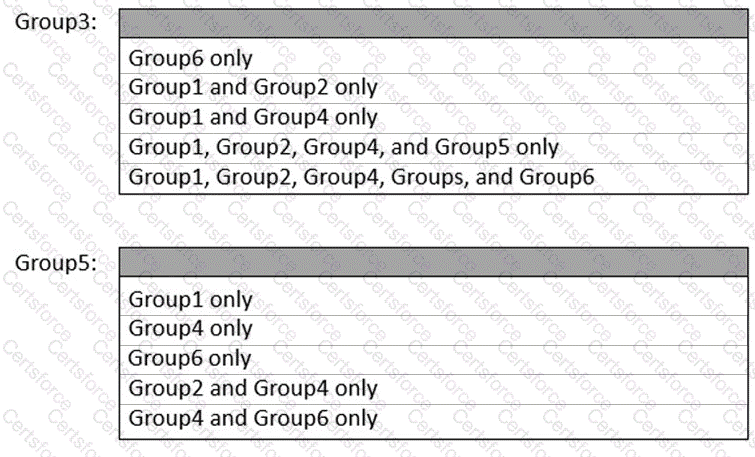
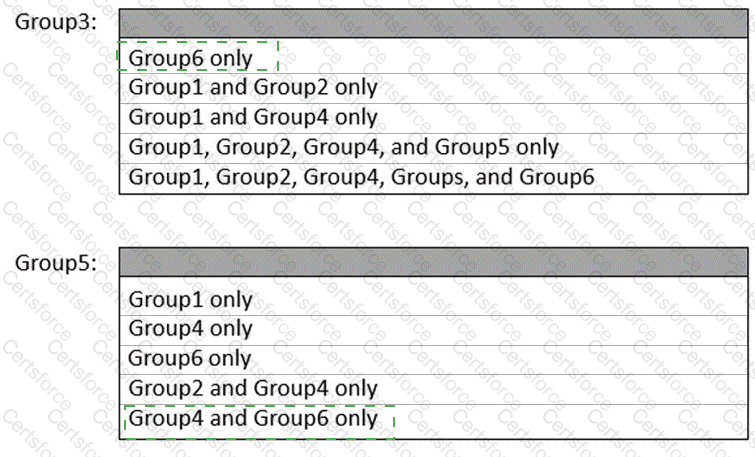
Applying the rules: Group3 is a Domain Localsecurity group in contoso.com . Therefore it can contain Universal (Group1), Global from any domain (Group2 in contoso.com and Group4/Group5 in canada.contoso.com), but cannot contain a Domain Local from a nother domain (Group6 in canada.contoso.com). Hence: Group1, Group2, Group4, and Group5 only .
Group5 is a Globaldistribution group in canada.contoso.com . A Global group can only contain accounts or Global groups from the same domain . From the list, only Group4 (Global distribution, canada.contoso.com) fits. It cannot contain Group1 (Universal), Group2 (Global but different domain), or Group6 (Domain Local). Therefore: Group4 only .
Contribute your Thoughts:
Chosen Answer:
This is a voting comment (?). You can switch to a simple comment. It is better to Upvote an existing comment if you don't have anything to add.


Submit