Microsoft Administering Windows Server Hybrid Core Infrastructure AZ-800 Question # 18 Topic 2 Discussion
AZ-800 Exam Topic 2 Question 18 Discussion:
Question #: 18
Topic #: 2
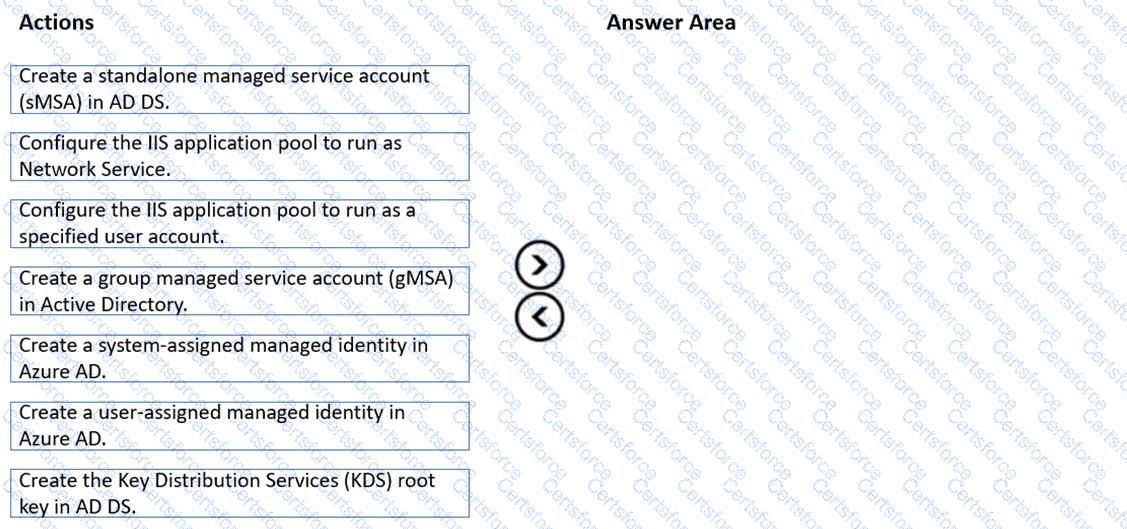
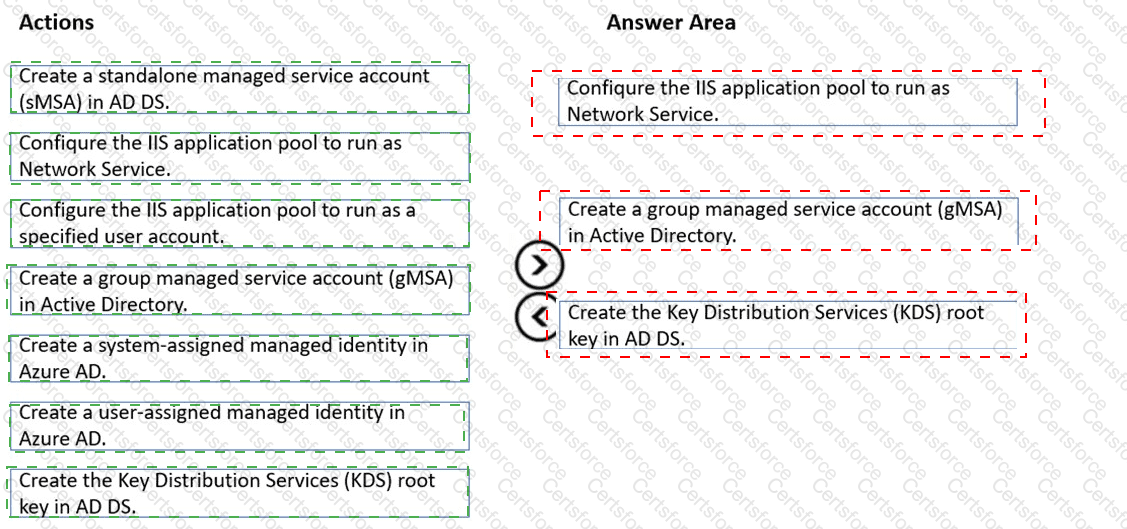
Which three actions should y ou perform in sequence to meet the security requirements for Webapp1? To answer, move the appropriate actions from the list of actions to the answer area and arrange them in the correct order.
In the Administering Windows Server Hybrid Core Infrastructure materials (AZ-800), Microsoft explains that Group Managed Service Accounts (gMSAs) are designed for services running on multi ple servers and “provide automatic password management, simplified SPN management, and the ability to delegate the management to other administrators.” The guidance further states that before you can create any gMSA, “the domain must have a KDS root key so that the Key Distribution Service can generate and rotate strong, unique passwords for gMSAs on a schedule.” After the KDS root key is created, “use New-ADServiceAccount to create the gMSA and grant the computers (e.g., web servers) permission to retrieve the account password.” For IIS, the course notes specify that a gMSA can be used for app pools: “Configure the IIS application pool identity to a custom account and specify the gMSA name (ending with ‘$’) without a password; the password is managed automatically by AD and rotates by policy (for example, every 30 days).”
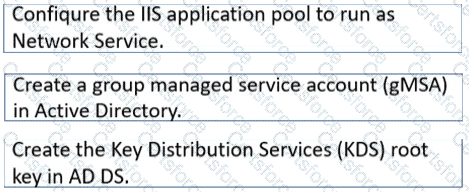
Mapping these requirements to the scenario: Webapp1 runs on WEB1 and WEB2 and must use the same service account with an automatic 30-day password change . Therefore, the correct sequence is: create the KDS root key , create the gMSA , and then set the IIS application pool to run under that account. This fulfills the security requirement while allowing both web servers to share the same, automatically-rotated credentials.
Contribute your Thoughts:
Chosen Answer:
This is a voting comment (?). You can switch to a simple comment. It is better to Upvote an existing comment if you don't have anything to add.


Submit