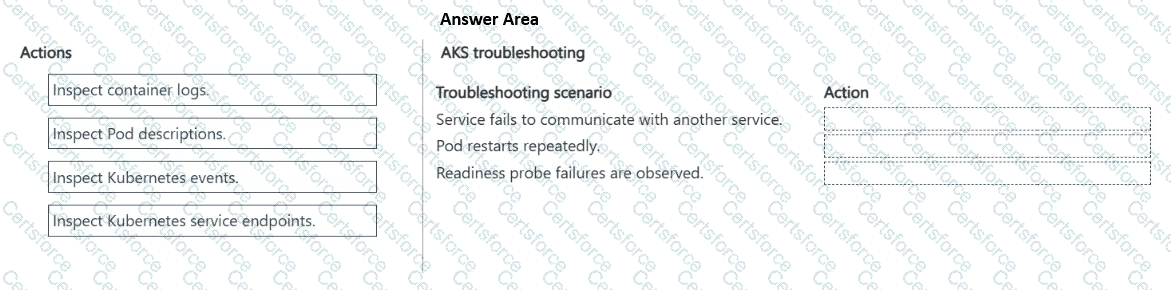
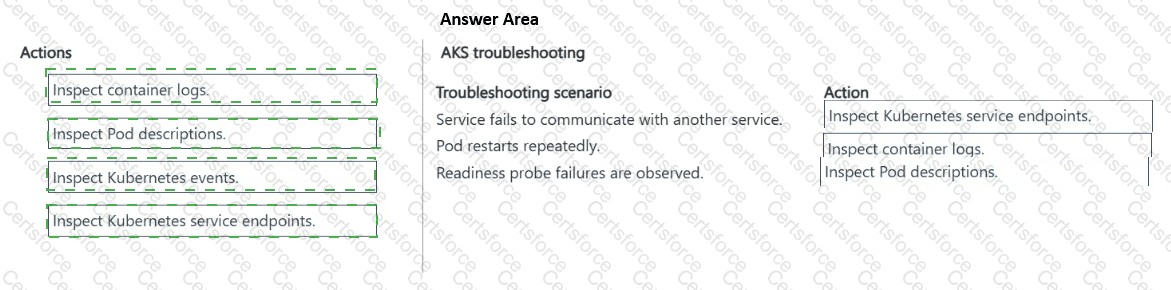
Service fails to communicate with another service: Inspect Kubernetes service endpoints.
Pod restarts repeatedly: Inspect container logs.
Readiness probe failures are observed: Inspect Pod descriptions.
For a service-to-service communication failure , first inspect the Kubernetes service endpoints . Microsoft’s AKS troubleshooting guidance recommends verifying that the destination pod IP address and application port appear as endpoints for the Kubernetes Service. An empty or incorrect endpoint list commonly indicates a selector/label mismatch, incorrect port configuration, or unavailable backend pods.
For a pod that restarts repeatedly , inspect the container logs , including the previous container instance when necessary. Microsoft specifically recommends kubectl logs < pod > --previous for workloads that repeatedly restart because it exposes application errors and termination messages from the container immediately before the restart.
For readiness probe failures , inspect the Pod description by using kubectl describe pod. The description exposes the configured health probes, pod conditions, container state, and associated probe-failure events, allowing you to determine whether the probe path, port, timing, or application readiness behavior is incorrect. Microsoft recommends reviewing kubectl describe output when pods are not Ready or health probes are failing.
Therefore, the correct mapping is service endpoints → container logs → Pod descriptions .
Study Guide references: AKS troubleshooting; Kubernetes Services and endpoints; container logging; Pod health; readiness/liveness probes; kubectl describe and kubectl logs.


Submit