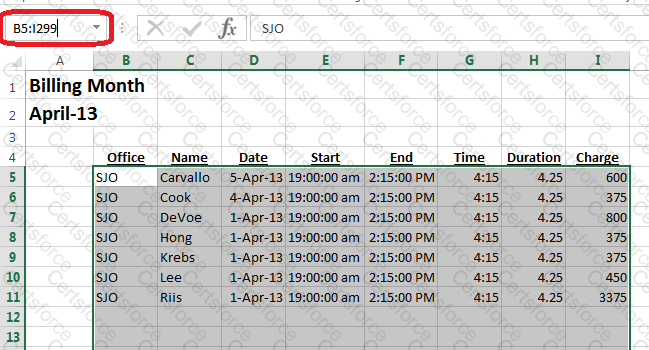
Step 1:In the name box type B5:I299 (orClick cell B5, shift-clickcell I299).
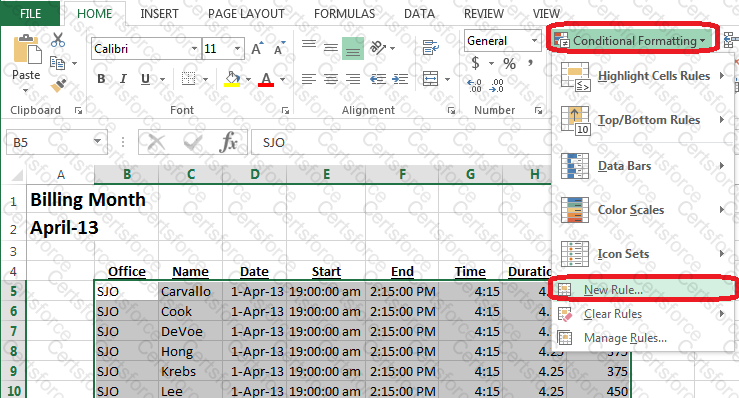
Step 2:On the Home tab, select Conditional Formatting, and click New Rule
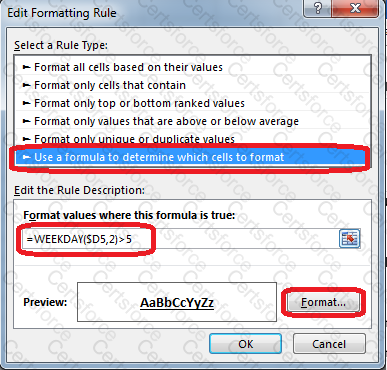
Step 3:In The Edit Formatting Rule dialog box select Use a formula to determine which cells to format, type the formula:=WEEKDAY($D5,2)>5, and click the Format button.
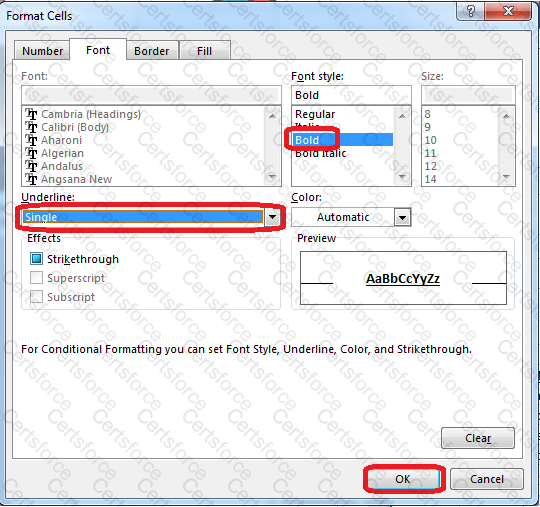
Step 4:In the Format Cells dialog box select bold, Underline Single, and click OK.
Step 5:In The Edit Formatting Rule dialog box click Ok.
Contribute your Thoughts:
Chosen Answer:
This is a voting comment (?). You can switch to a simple comment. It is better to Upvote an existing comment if you don't have anything to add.


Submit