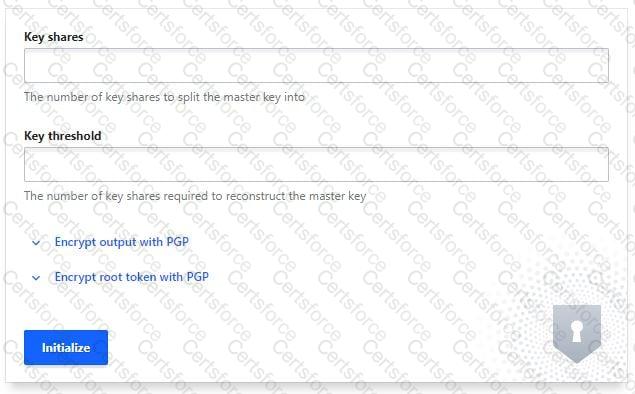
You’ve hit the URL for the Vault UI, but you’re presented with this screen. Why doesn’t Vault present you with a way to log in?
The Consul storage backend was not configured correctly
Vault needs to be initialized before it can be used
A Vault policy is preventing you from logging in
The Vault configuration file has an incorrect configuration
Comprehensive and Detailed in Depth Explanation:
The initialization page means Vault is new or reset. Let’s evaluate:
A: Storage issues don’t trigger this screen; they’d cause errors post-init. Incorrect.
B: Vault requires initialization (vault operator init) to set up keys and enable login. Correct.
C: Policies apply post-login, not pre-init. Incorrect.
D: Config errors would prevent Vault from starting, not show this screen. Incorrect.
Overall Explanation from Vault Docs:
“Before Vault can be used, it must be initialized and unsealed… This screen indicates Vault has not been initialized yet.”


Submit