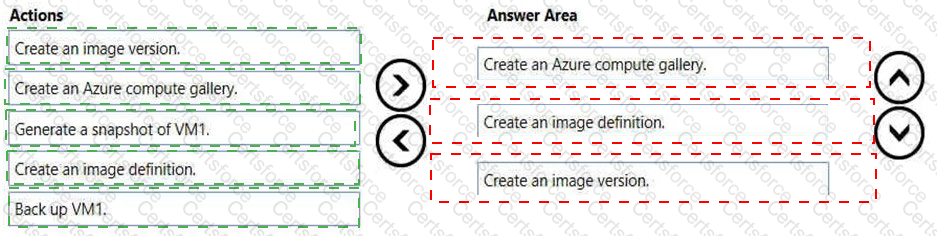
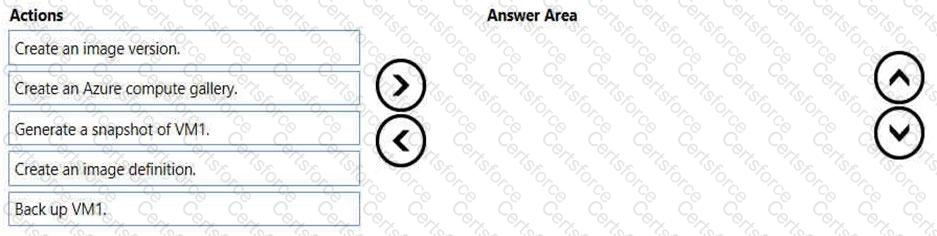
You have an Azure subscription that contains a virtual machine named VM1. VM1 runs a customized version of Windows 10 Enterprise.
You generalize the operating system on VM1 and shut down the virtual machine.
You need to deploy additional virtual machines based on an image of VM1 by using the Azure portal.
Which three actions should you perform in sequence? To answer, move the appropriate actions from the list of actions to the answer area and arrange them in the correct order.
Select and Place:
You have a Windows Virtual Desktop host pool named Pool1 and an Azure Automation account named account1. Pool1 is integrated with an Azure Active Directory Domain Services (Azure AD DS) managed domain named contoso.com.
You plan to configure scaling for Pool1 by using Azure Automation runbooks.
You need to authorize the runbooks to manage the scaling of Pool1. The solution must minimize administrative effort.
What should you configure?
You have an Azure Virtual Desktop host pool named Pooll. All the session hosts in Pooll are assigned private IP addresses only.
You need to ensure that administrators can connect remotely to the session hosts. The solution must ensure that the administrators can connect to the session hosts by using Azure Command-Line Interface (CLI) and the Remote Desktop client for Windows.
What should you include in the solution?
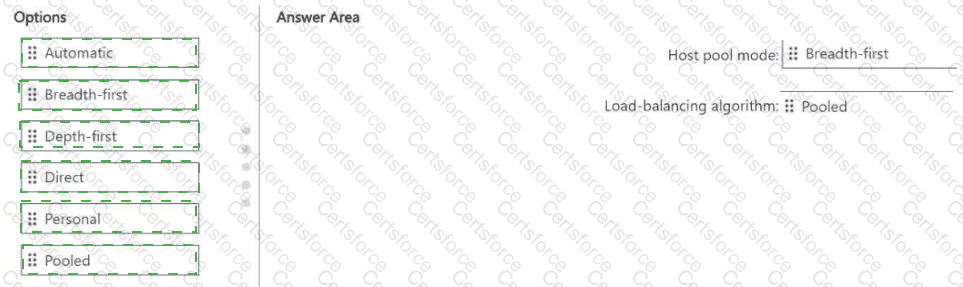
You have an Azure Virtual Desktop deployment.
You plan to create a new host pool that meets the following requirements:
• Supports up to 25 user connections
• Contains 10 Windows 11 multi-session hosts
• Evenly distributes user sessions across the session hosts
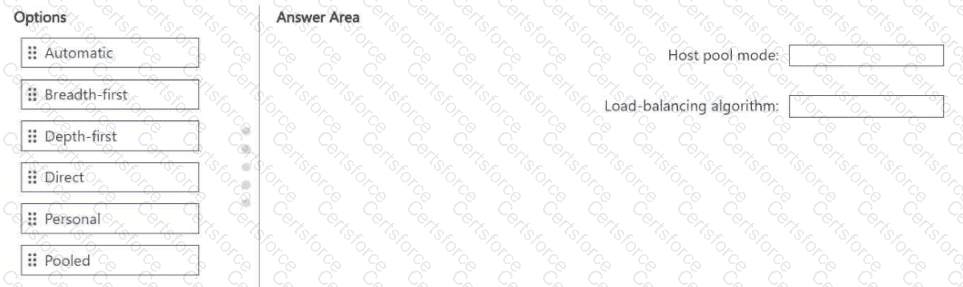
You need to recommend which type of host pool and load-balancing algorithm to use.
What should you recommend? To answer, drag the appropriate options to the correct targets. Each option may be used once, more than once, or not at all. You may need to drag the split bar between panes or scroll to view content.
NOTE: Each correct selection is worth one point.
You have an Azure Virtual Desktop deployment.
You use the Start/Stop VMs during off-hours feature in Azure.
You need to configure which virtual machines must never be stopped by the solution.
What should you configure?
You have an Azure subscription that is linked to a Microsoft Entra hybrid tenant named contoso.com. The subscription contains the resources shown in the following table.

You create a new Azure Virtual Desktop host pool named HP01.
You plan to deploy new session hosts to HP01. The session hosts will be connected to VNetO1.
You need to ensure that the new session hosts can join contoso.com. The solution must minimize administrative effort.
What should you configure first?
You have an Azure subscription that contains the resources shown in the following table.
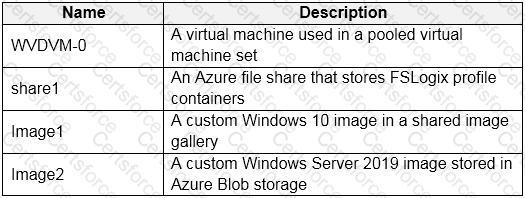
Which resources can you back up by using Azure Backup?
You have an Azure Virtual Desktop deployment that contains the host pools shown in the following table.

You need to create a disaster recovery environment in the West US region. The solution must minimize costs and administrative effort.
What should you do?
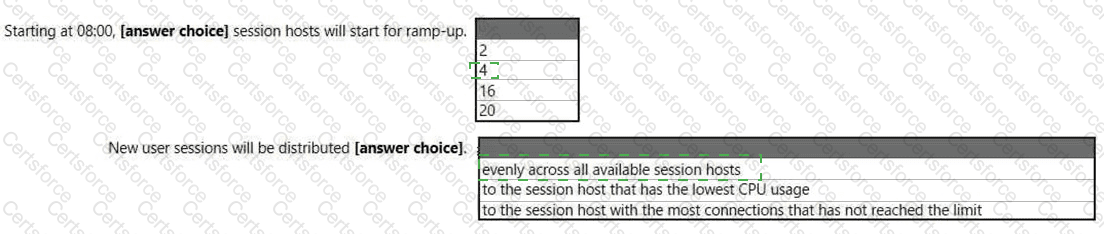
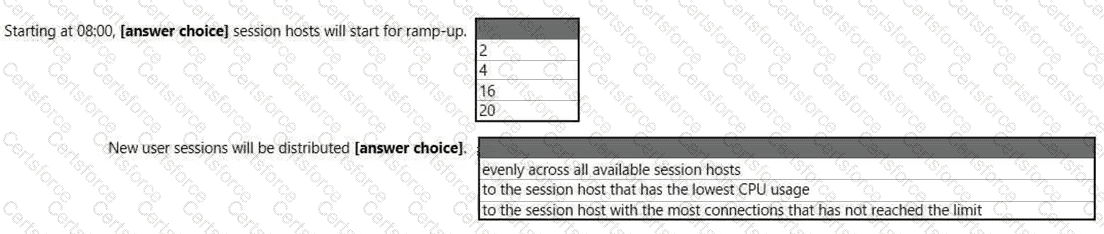
You have an Azure Virtual Desktop host pool named HostPool1 that contains 20 session hosts.
You create a new scaling plan that has the Ramp-up settings shown in the following exhibit.
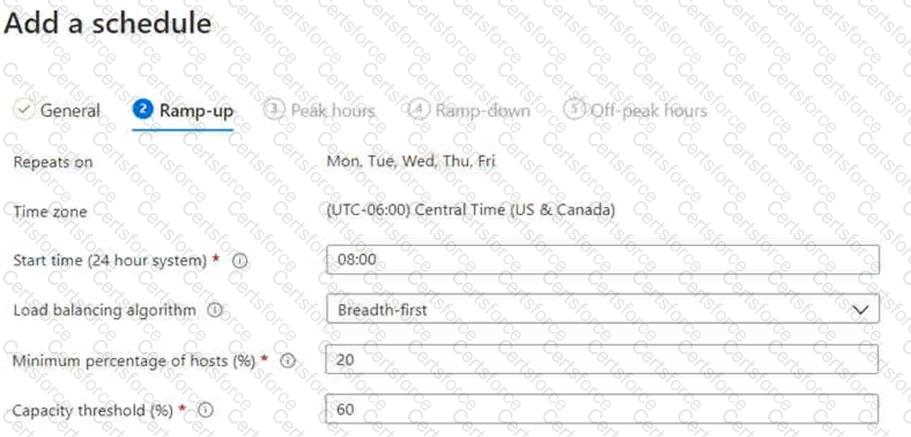
Use the drop-down menus to select the answer choice that completes each statement based on the information presented in the graphic.
NOTE: Each correct selection is worth one point.
You have an Azure subscription that contains an Azure Virtual Desktop host pool named Pool1. Pool1 contains a single session host named Host1.
You need to ensure that when an Azure Virtual Desktop session has been inactive for 30 minutes, the user is signed out of the session automatically. The solution must NOT affect other session timeout settings.
What should you do?