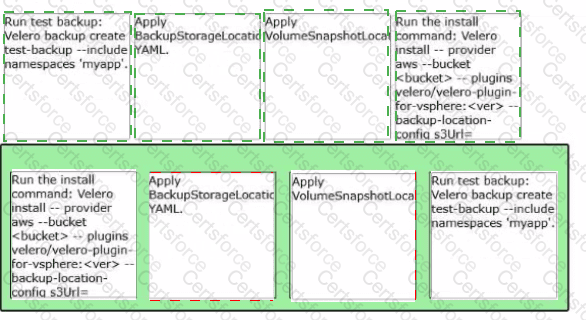
Answer (Correct Order):
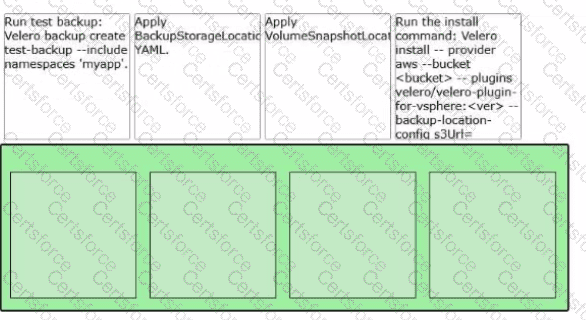
Run the install command:velero install … --provider aws --bucket < bucket > … --plugins … --backup-location-config …
Apply BackupStorageLocation YAML.
Apply VolumeSnapshotLocation YAML.
Run test backup:velero backup create test-backup --include-namespaces " myapp1 "
The correct sequence follows Velero’s operational model: install the Velero components first, then define where backups and snapshots are stored, and finally validate with a real backup. In VCF 9.0, the Velero Plugin for vSphere installation command includes parameters for the object-store provider, bucket, and plugin images, which establishes the Velero control plane in the target namespace and prepares it to communicate with an S3-compatible store.
After the installation is in place, you apply theBackupStorageLocationconfiguration so Velero has a durable destination for Kubernetes backup metadata in the object store. This aligns with the VCF 9.0 guidance that backups upload Kubernetes metadata to the object store and require S3-compatible storage for backup/restore workflows.
Next, apply theVolumeSnapshotLocationso Velero knows how and where to create/track volume snapshots for stateful workloads. The VCF 9.0 install example explicitly includes snapshot/backup location configuration parameters, reflecting that both must be set for complete protection.
Finally, run a test backup scoped to the namespace (--include-namespaces=my-namespace) to confirm end-to-end functionality.


Submit