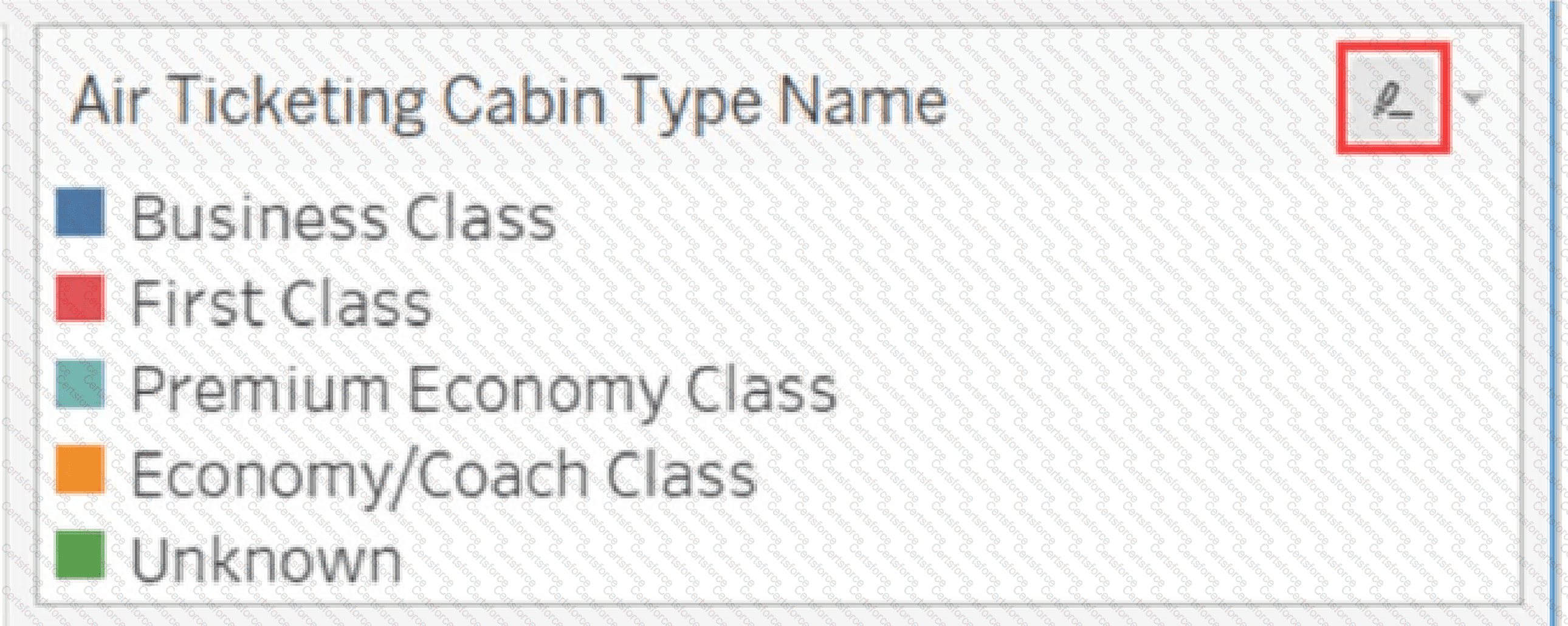
The icon displayed to the right of the legend title is Tableau's highlighting control. Therefore, clicking it controls legend highlighting, making C the correct answer. Legend highlighting is an interactive analytical feature that allows the viewer to focus on specific marks associated with a selected legend member. When highlighting is enabled and a value such as Business Class or First Class is selected, Tableau emphasizes the corresponding marks while visually dimming unrelated marks. This makes it possible to investigate one category without filtering other categories out of the visualization. Tableau supports both one-way and two-way legend highlighting. The icon displayed at the top of the legend indicates the available highlighting mode. In two-way highlighting, interaction can occur from either the legend or marks in the visualization. The Edit Colors command is accessed through the legend's menu or other color controls, not by clicking this highlighter icon. Likewise, the icon does not expose filter settings and does not hide or display the legend itself. Official Tableau documentation explicitly states that the icon at the top of the legend represents legend highlighting and can be used to control highlighting behavior.
Contribute your Thoughts:
Chosen Answer:
This is a voting comment (?). You can switch to a simple comment. It is better to Upvote an existing comment if you don't have anything to add.


Submit