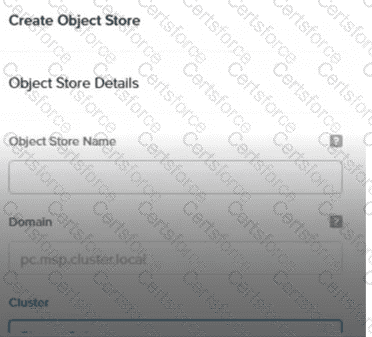
According to the Nutanix Unified Storage Administration (NUSA) course, specifically in the module “Deploying and Configuring Nutanix Objects,” theObject Store creationprocess within Prism Central depends on theregistration and access synchronizationbetween Prism Central and Prism Element. The documentation explicitly states:
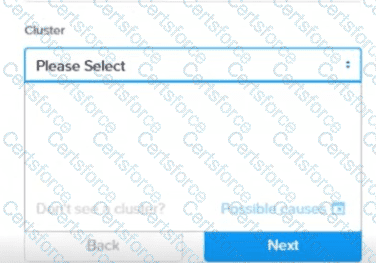
“When Prism Central is first connected to a Prism Element cluster, there may be a delay of up to 15 minutes for the access control and cluster data to fully synchronize. During this time, certain cluster resources may not appear when attempting to create new object stores.”
This statement confirms that if the access was granted to Prism Elementless than 5 minutes ago, the cluster will not yet be visible in the “Cluster” drop-down list. This delay in synchronization is the reason for the empty cluster list in the interface.
Option Ais incorrect because Prism Central administrators, not just local Prism Element admins, have the authority to create object stores.
Option Bis incorrect because the delay is not tied to the 1-hour registration time, but rather the few minutes required for initial synchronization.
Option Cis incorrect because the Prism Element admin role is not a prerequisite for this task within Prism Central.
[Reference:, Nutanix Unified Storage Administration (NUSA) course – Module: Deploying and Configuring Nutanix Objects – Section: Synchronization and Cluster Visibility in Prism Central., Nutanix Unified Storage (NCP-US) Study Guide – Topic: Object Store Creation Requirements and Synchronization Delays., , , , ]


Submit