After a support case has been created, NetApp’s support workflow requires thatcase visibility and status trackingbe performed through the NetApp Support site using thecustomer’s credentials, not partner credentials. Customer credentials ensure proper access to systems registered under the customer’s support account, including entitlement visibility, serial numbers, and case ownership. Partner credentials may not have permission to view customer-owned cases unless explicitly granted.
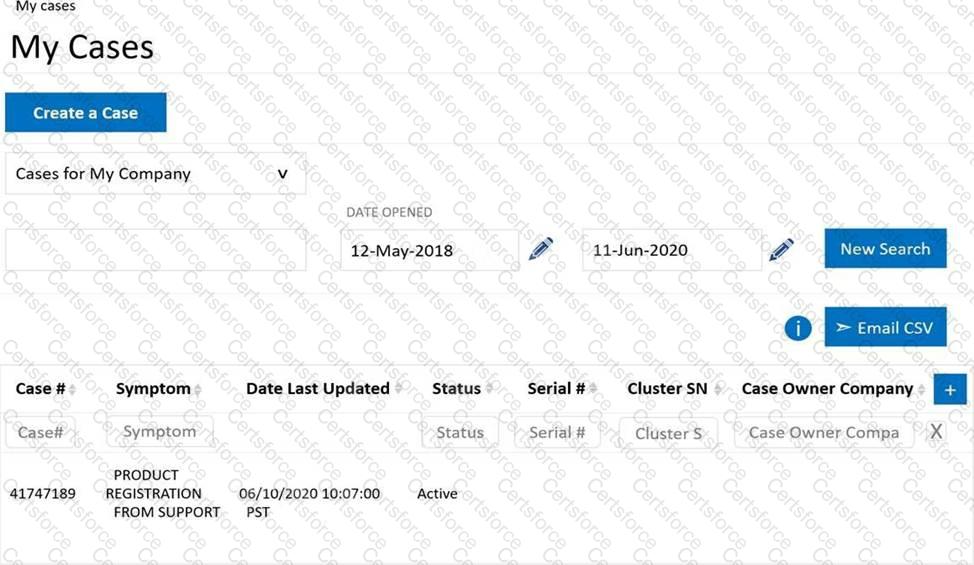
Once logged in, theMy Casessection of the support site provides a centralized dashboard showing all active and historical cases associated with the customer’s company. From this view, cases are listed with details such as case number, product, symptom, status, and last updated timestamp. Selecting the specific case number (in this scenario,41747189) opens the detailed case view, where the customer can monitor progress, read engineer updates, upload logs, and add comments.
The option “Create a Case” is used only when opening anewcase and does not allow viewing the status of an existing case. Therefore, it does not satisfy the requirement. Using partner credentials is also incorrect because case tracking is intended to be performed by the customer organization that owns the system and support entitlement.
Thus, the correct steps are tolog in using customer credentialsandopen My Cases and select the existing case number.


Submit