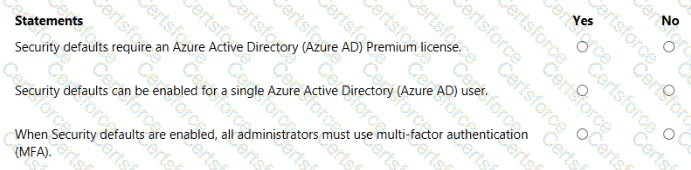
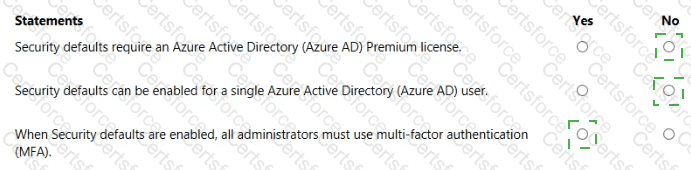
Security defaults require an Azure Active Directory (Azure AD) Premium license. No
Security defaults can be enabled for a single Azure Active Directory (Azure AD) user. No
When Security defaults are enabled, all administrators must use multi-factor authentication (MFA). Yes
Microsoft explains that Security defaults are baseline identity protections that are “available to all tenants at no additional cost” and are intended to “help protect your organization from common identity-related attacks.” They are a tenant-wide setting: Microsoft states that security defaults are “either on or off for the entire tenant” and “can’t be customized or targeted to specific users or groups.” If you require per-user or granular targeting, Microsoft directs customers to use Conditional Access policies instead.
A core behavior of security defaults is enforcing MFA: “All users are required to register for Azure AD Multi-Factor Authentication,” and “administrators are required to perform MFA.” In addition, security defaults “block legacy authentication” and apply other baseline requirements, but they do not enable premium features such as Azure AD Identity Protection or PIM. Summarizing the implications for the statements: no premium license is required; you cannot enable security defaults for just one user because the control is global; and when enabled, administrators must use MFA, with Microsoft recommending exclusion only for a break-glass account if necessary.
Contribute your Thoughts:
Chosen Answer:
This is a voting comment (?). You can switch to a simple comment. It is better to Upvote an existing comment if you don't have anything to add.


Submit