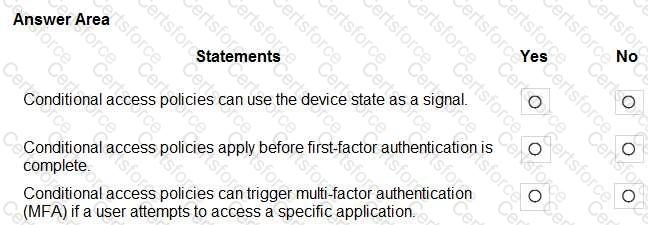
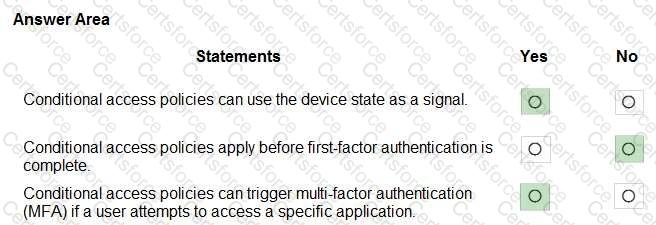
Microsoft’s Conditional Access (part of Microsoft Entra ID) evaluates multiple signals to make access decisions. The official description lists typical signals such as “user or group membership, IP location information, device state, application, and real-time risk.” The device state element explicitly refers to conditions like “compliant or hybrid Azure AD joined devices,” allowing policies that grant or block access—or require extra controls—based on whether a device meets compliance/registration requirements.
Regarding evaluation timing, Microsoft’s guidance states that Conditional Access “policies are enforced after the first-factor authentication is completed.” This means the engine needs the user’s primary sign-in context (who the user is and how they authenticated) to evaluate the conditions and then decide whether to allow, block, or require additional controls. Therefore, the statement that policies apply before first factor is not correct.
Finally, Conditional Access includes grant controls such as “Require multi-factor authentication,” and policies can be scoped to specific cloud apps or actions. As a result, you can target a particular application and require MFA when a user attempts to access it, satisfying application-specific risk mitigation while preserving user productivity.
Contribute your Thoughts:
Chosen Answer:
This is a voting comment (?). You can switch to a simple comment. It is better to Upvote an existing comment if you don't have anything to add.



Submit