The code creates a SpeechConfig and an AudioOutputConfig with filename= " path/to/file.wav " , then constructs a SpeechSynthesizer and calls speak_text_async(input) .
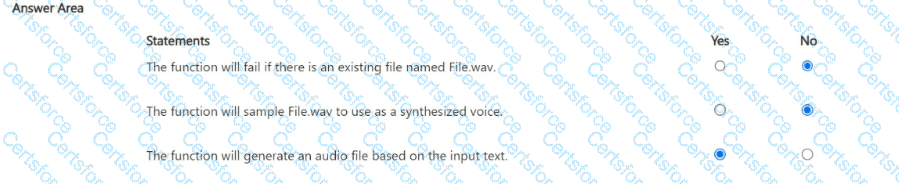
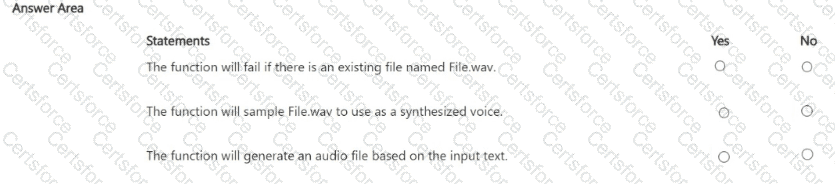
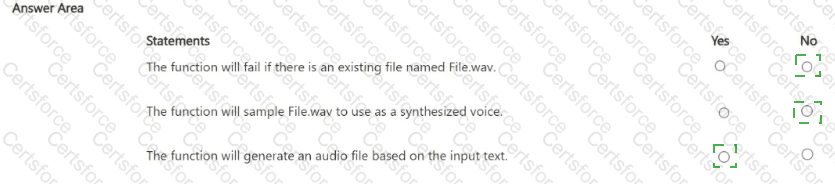
Existing file behavior: AudioOutputConfig with a filename directs synthesis output to that file path; the documentation emphasizes that it specifies the output file and that the parent directory must already exist. It does not require a unique filename (i.e., it does not fail purely because a file exists). In practice, the SDK writes to the specified path. Therefore, the statement claiming failure if a file already exists is No.
Voice source: The filename in AudioOutputConfig is output, not input. To choose a voice, you set speech_config.speech_synthesis_voice_name or use SSML; the WAV file isn’t “sampled” to create a voice. Hence this statement is No. Microsoft Learn
File generation: Using AudioOutputConfig(filename=...) with SpeechSynthesizer and speak_text_async(...) writes synthesized audio to that file. Many samples show the same pattern (often with .get() to wait for completion). So the function’s purpose is to generate an audio file from the input text—Yes.
Note: In production, call .get() (or await) on speak_text_async(...) so the program waits for synthesis to complete before exiting. Microsoft Learn
References (Microsoft Azure AI Speech)
How to synthesize speech from text (create AudioOutputConfig to write to a file; synthesize with speak_text_async ).
Python AudioConfig class (audio output can be a speaker, audio file (WAV), or stream). Microsoft Learn
NET AudioConfig.FromWavFileOutput (specifies output file; parent directory must already exist). Microsoft Learn
Azure Q & A example (Python: speak_text_async(...).get() usage). Microsoft Learn



Submit