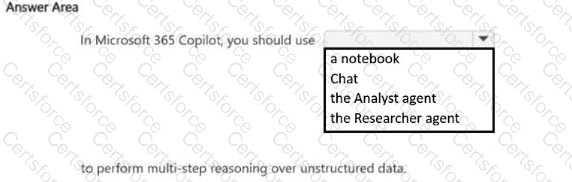
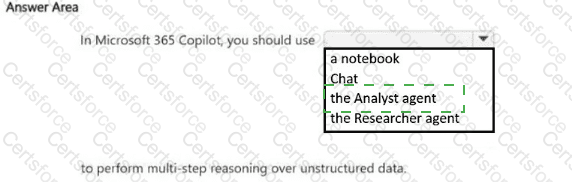
In Microsoft 365 Copilot, you should use the Researcher agent to perform multi-step reasoning over unstructured data.
The correct answer is the Researcher agent . Microsoft describes Researcher in Microsoft 365 Copilot as an agent for complex, multi-step research that can reason across information sources and synthesize findings into structured outputs. That aligns with the phrase multi-step reasoning in the question. Microsoft’s guidance also contrasts Researcher with Analyst , which is aimed more at data analysis and spreadsheet-oriented tasks.
The other options are less suitable. Chat is general-purpose and not the specialized tool Microsoft positions for deeper multi-step research workflows. A notebook is used to organize materials and chats, not as the main reasoning engine for this scenario. The Analyst agent is better suited to structured data analysis, trends, and calculations rather than broad reasoning over unstructured data such as documents, notes, and mixed content. Based on Microsoft’s product positioning, the best fit for multi-step reasoning over unstructured information is the Researcher agent .
Contribute your Thoughts:
Chosen Answer:
This is a voting comment (?). You can switch to a simple comment. It is better to Upvote an existing comment if you don't have anything to add.


Submit