In Microsoft 365 Copilot, when content from a document is summarized or referenced, Copilot respects Microsoft 365 security, compliance, and data protection policies such as sensitivity labels . Sensitivity labels can restrict how content is accessed, shared, or processed, and Copilot behavior reflects these constraints.
The exhibit shows that Copilot is able to summarize the document but provides only limited or generalized insights, indicating restricted handling of the content. This is consistent with documents that have sensitivity labels applied (for example, Confidential or Highly Confidential), where Copilot may limit exposure of detailed content or apply safeguards when generating responses.
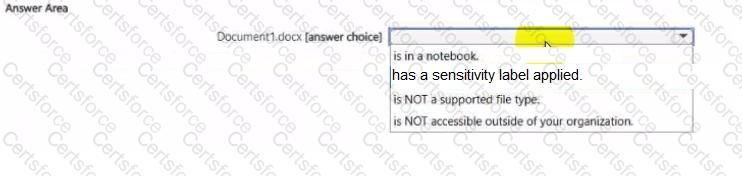
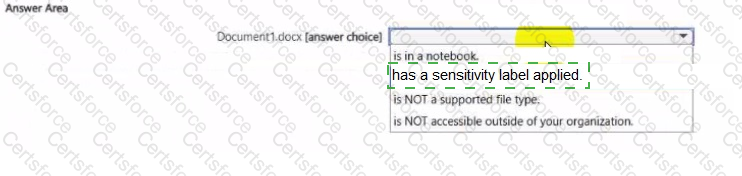
Other options do not align with the scenario. If the file were not supported, Copilot would not process it at all. If it were inaccessible outside the organization, that would affect sharing rather than summarization behavior. Being in a notebook does not impose restrictions on how content is summarized.
Therefore, the correct inference is that Document1.docx has a sensitivity label applied .
Contribute your Thoughts:
Chosen Answer:
This is a voting comment (?). You can switch to a simple comment. It is better to Upvote an existing comment if you don't have anything to add.




Submit