Answer Area
Correct Selection
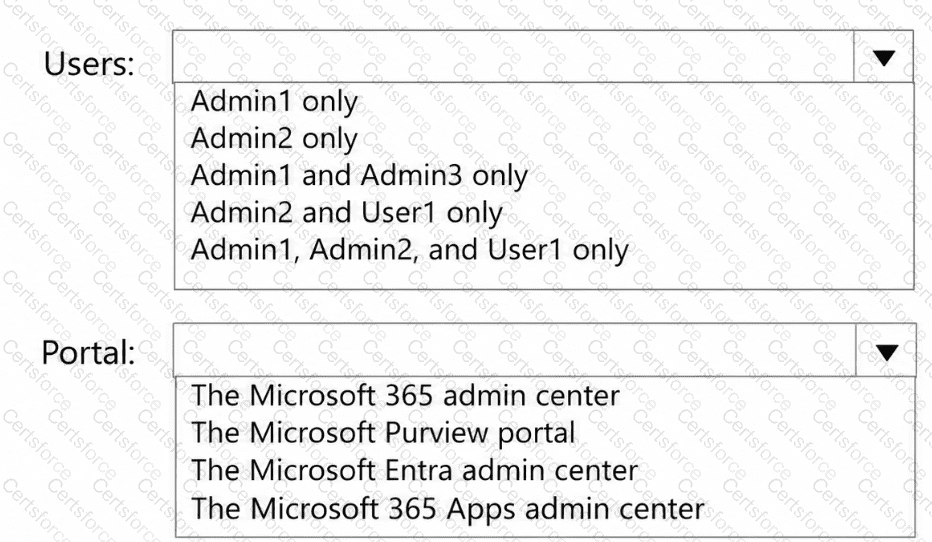
Users
Admin1 only
Portal
The Microsoft 365 Apps admin center
Microsoft 365 provides the Allow web search in Copilot policy to control whether Microsoft 365 Copilot and Microsoft 365 Copilot Chat can retrieve information from public web sources.
First selection: Admin1 only.
According to Microsoft Learn, the Cloud Policy service supports administration by Global Administrators, Office Apps Administrators, and Security Administrators.
In the Contoso scenario:
Admin1: Global Administrator — authorized to manage Cloud Policy.
Admin2: AI Administrator — can manage Copilot settings, but this role is not listed among those authorized to manage Cloud Policy configurations.
Admin3: Privileged Role Administrator — does not have the required Cloud Policy management permissions.
User1: Eligible for AI Administrator, but eligibility does not grant active administrative permissions.
Therefore, Admin1 is the only administrator explicitly authorized for this configuration.
Second selection: The Microsoft 365 Apps admin center.
Administrators configure web search through Microsoft 365 Apps admin center → Customization → Policy Management.
Create a Cloud Policy configuration and select the following setting:
Allow web search in Copilot
Configure it as:
Disabled in Microsoft Copilot and Microsoft Copilot Chat.
This disables public web search for both experiences, satisfying Contoso ' s requirement to use only Microsoft 365 information sources for Copilot responses.
Microsoft confirms that the Microsoft 365 admin center provides a shortcut to this setting, but the Cloud Policy itself is configured in the Microsoft 365 Apps admin center.
Microsoft References:



Submit