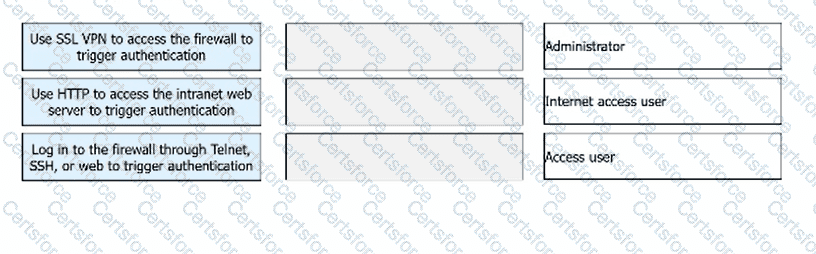
Use SSL VPN to access the firewall to trigger authentication → Access user
Use HTTP to access the intranet web server to trigger authentication → Internet access user
Log in to the firewall through Telnet, SSH, or web to trigger authentication → Administrator
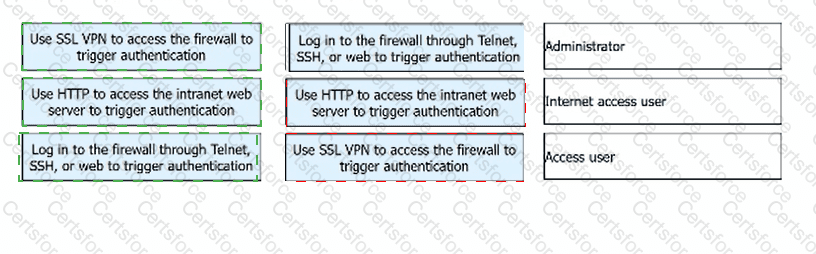
These authentication modes correspond to different user roles on a Huawei firewall. An Access user is typically a user who connects to enterprise resources through technologies such as SSL VPN . In this case, the user accesses the firewall as a secure access gateway, and authentication is triggered when the SSL VPN session is initiated.
An Internet access user usually refers to a common end user whose identity must be verified before being allowed to access network resources through the firewall. A common way to trigger this authentication is by using HTTP to access an intranet or web resource , which leads to Portal-based identity verification and access control.
An Administrator is different from ordinary service users because this role is responsible for managing and configuring the firewall itself. Therefore, authentication for an administrator is triggered when the person logs in directly to the firewall through Telnet, SSH, or the web management interface .
So the correct matches are: SSL VPN → Access user , HTTP intranet access → Internet access user , and Telnet/SSH/web login → Administrator .


Submit