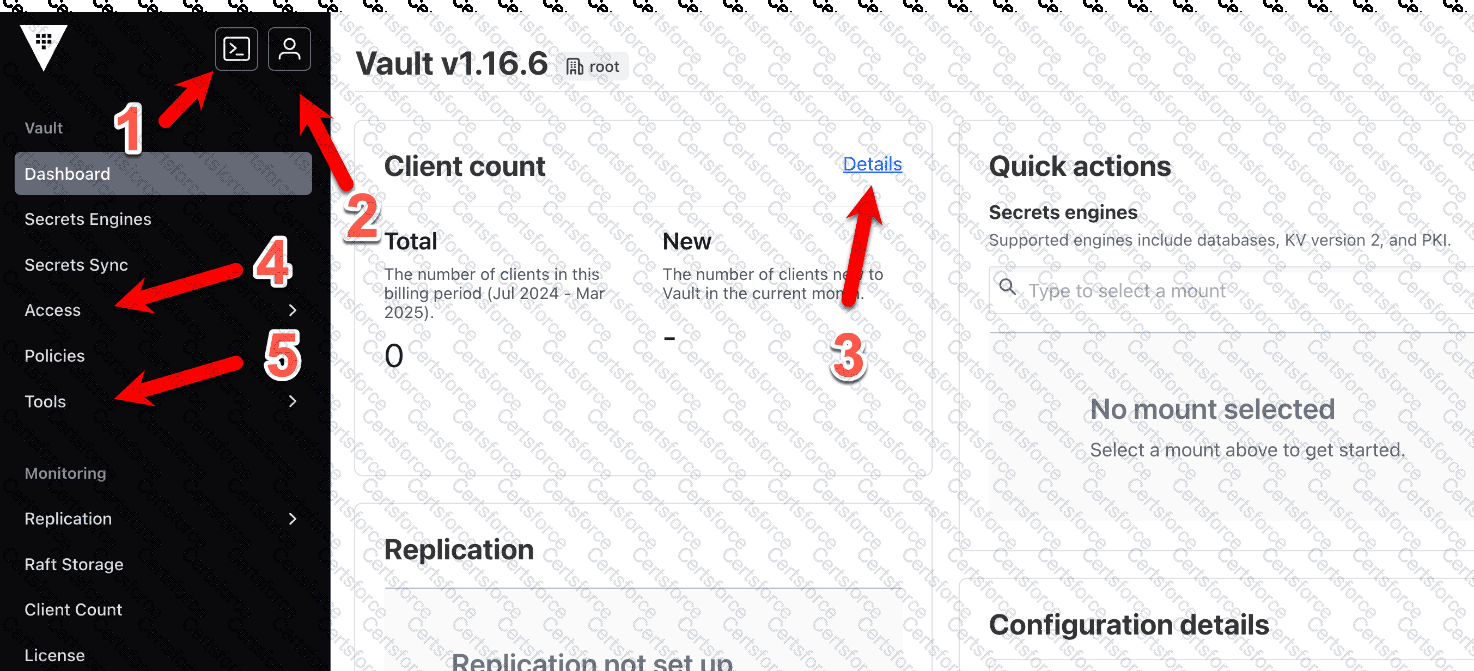
The Vault UI includes a feature allowing CLI commands to be executed directly within the interface, known as the CLI emulation or REPL (Read-Eval-Print Loop) terminal. The HashiCorp Vault documentation states: " The Vault GUI includes an advanced mode that uses a read–eval–print loop (REPL) terminal to mimic basic create/read/update/delete/list (CRUDL) commands for users who are more familiar with the Vault CLI than the GUI. " This feature enables Chad to run a command like vault secrets enable < engine > without switching to a separate CLI, fulfilling the requirement.
The documentation under " Explore the Vault UI " adds: " This terminal allows users to execute Vault CLI commands directly from the web interface, enhancing usability for those accustomed to CLI workflows. " Options like user information (B), client count details (C), and access management (D) do not provide CLI execution capabilities. Thus, A is correct.
[Reference:, HashiCorp Vault Documentation - Getting Started UI: Explore the Vault UI, ]
Contribute your Thoughts:
Chosen Answer:
This is a voting comment (?). You can switch to a simple comment. It is better to Upvote an existing comment if you don't have anything to add.


Submit