In a FortiGate-managed switching deployment usingFortiLink, FortiSwitch devices rely on theirinternal interfaceto establish management connectivity with the FortiGate. According to the FortiSwitchOS 7.6 Administrator Guide, when a FortiSwitch operates in FortiLink mode, theinternal interface must obtain an IP address dynamically via DHCPfrom the FortiGate over the FortiLink interface. This IP address is required for control-plane communication, including CAPWAP-based management messaging.
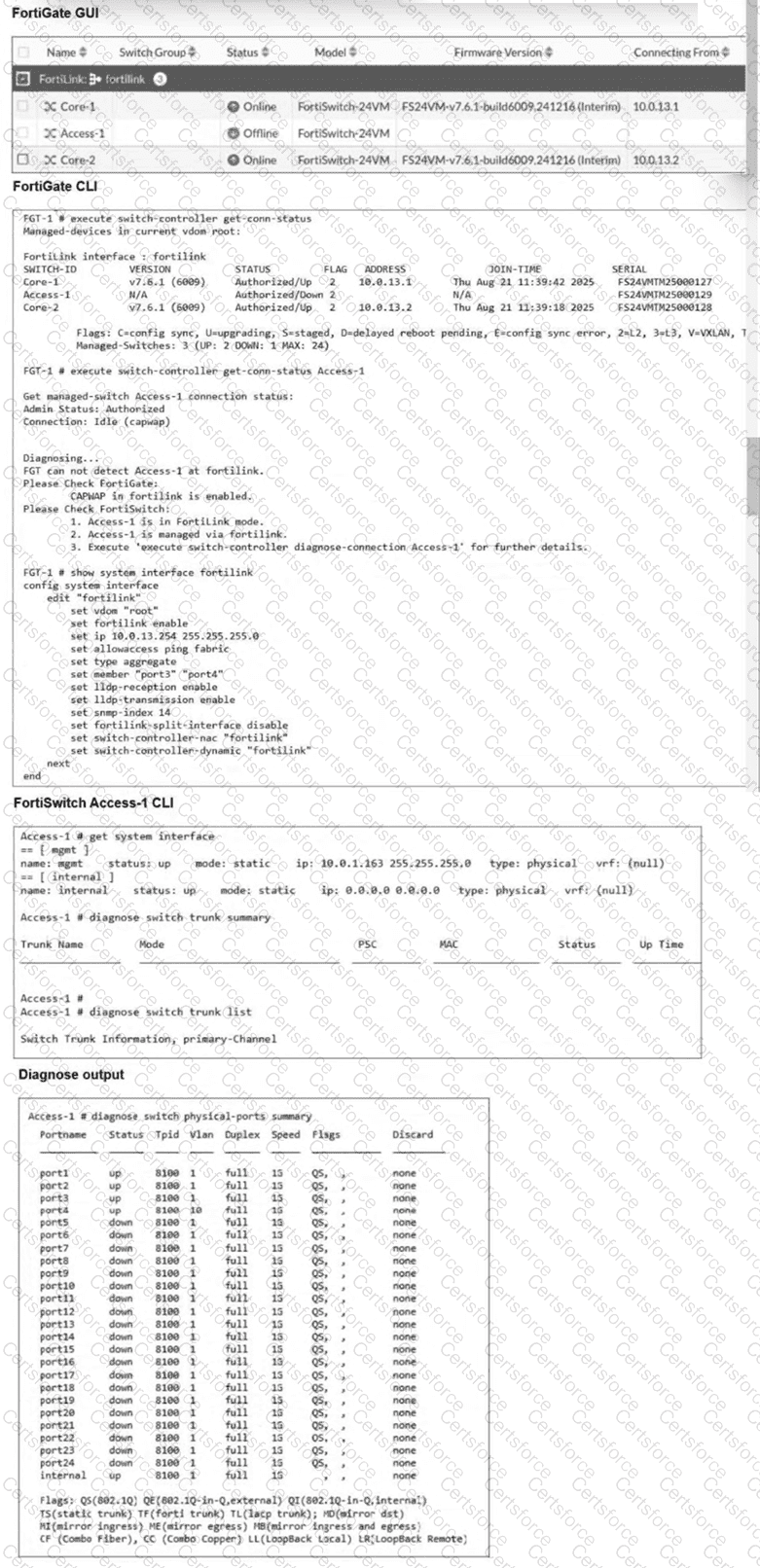
From the exhibit, FortiGate successfully managesCore-1andCore-2, whileAccess-1remains offline. The FortiGate diagnostic output explicitly reports that itcannot detect Access-1 at the FortiLink interface, even though CAPWAP is enabled and the switch is in FortiLink mode. This eliminates CAPWAP configuration (Option B) as the root cause.
Examining the FortiSwitch Access-1 CLI output reveals the key issue:
This configuration prevents Access-1 from obtaining a valid FortiLink management IP address, which is mandatory for FortiGate discovery and authorization. In contrast, FortiSwitch devices managed by FortiGate must have their internal interface set toDHCP, allowing the FortiGate to automatically assign an address from the FortiLink subnet.
Assigning a static IP (Option A) is not recommended or required in FortiLink-managed mode, NTP configuration (Option D) has no impact on discovery, and CAPWAP is already enabled as shown in the FortiGate output.
Therefore, theinitial and required corrective actionis toset the Access-1 internal interface mode to DHCP, makingOption Cthe correct and fully verified answer based on FortiOS 7.6 and FortiSwitchOS 7.6 documentation.


Submit