 C:\Users\Waqas Shahid\Desktop\Mudassir\Untitled.jpg
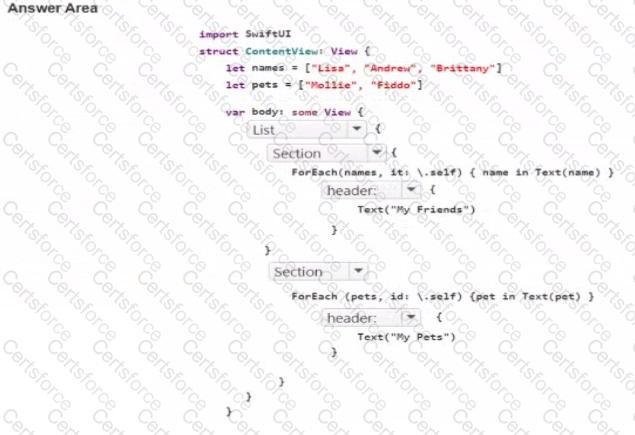
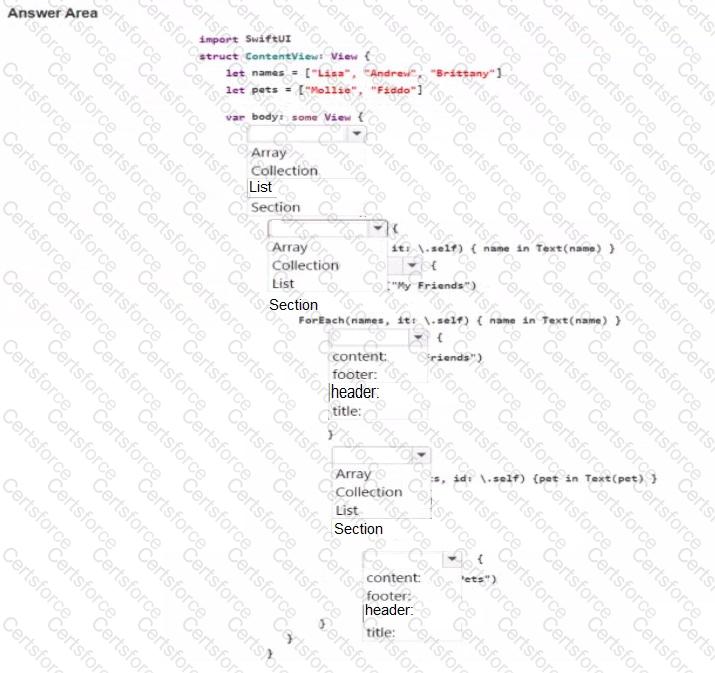
This question belongs to View Building with SwiftUI , especially the objectives for using List views to iterate through collections and structuring views with standard SwiftUI containers. The screenshot shows two grouped sets of rows: one headed MY FRIENDS and one headed MY PETS . In SwiftUI, the correct container for a scrollable table-style presentation of rows is List, and the correct way to divide that list into labeled groups is Section. Apple documents List as a container that presents data in a single-column row-based layout, and Section as a way to organize list content into grouped areas with headers and optional footers. That is exactly the structure shown in the image. ( developer.apple.com , developer.apple.com )
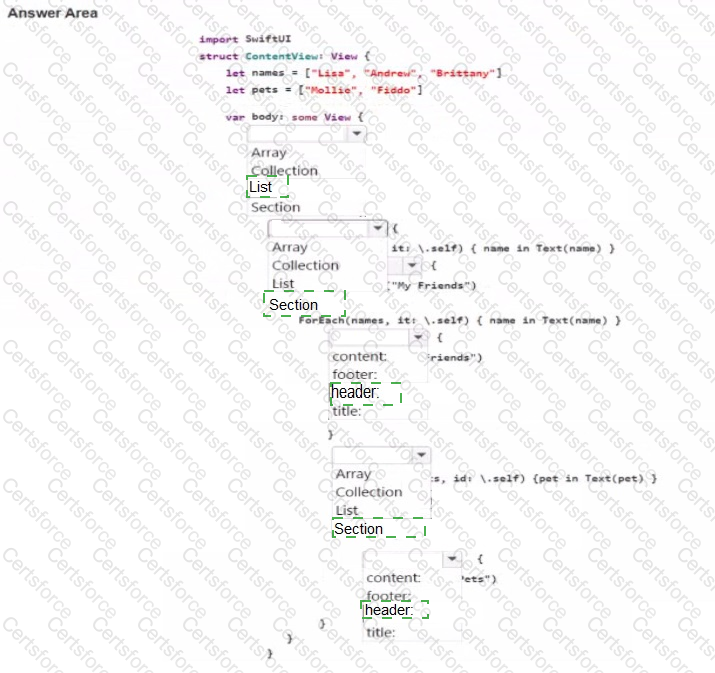
The ForEach(names, id: \.self) and ForEach(pets, id: \.self) lines are already iterating through the arrays, so each ForEach should be wrapped inside a Section. The section labels such as " My Friends " and " My Pets " are provided with the header: label. So the intended code structure is:
List {
Section {
ForEach(names, id: \.self) { name in Text(name) }
} header: {
Text( " My Friends " )
}
Section {
ForEach(pets, id: \.self) { pet in Text(pet) }
} header: {
Text( " My Pets " )
}
}
This matches the UI shown in the image and aligns directly with SwiftUI list and section composition patterns in App Development with Swift.



Submit