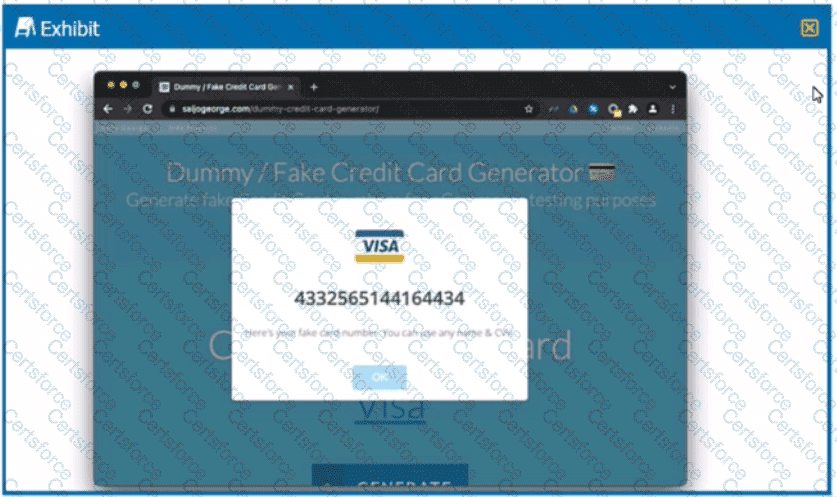
To create a DLP profile that will ensure that the data shown in the exhibit cannot be uploaded to a user’s personal Google Drive, you need to use optical character recognition (OCR). OCR is a feature that allows you to detect and extract text from images and scanned documents. You can use OCR in your DLP profiles to identify sensitive data that is embedded or hidden in images1. In the exhibit, we can see that the data is a credit card number, which is a type of sensitive data that can be easily identified by OCR. You can create a DLP profile that uses OCR and matches the credit card number data identifier or a custom regex expression. You can then apply an action such as block, alert, or quarantine to prevent the data from being uploaded to Google Drive2. Therefore, option C is correct and the other options are incorrect. References: Optical Character Recognition (OCR) - Netskope Knowledge Portal, Add a Policy for Data Protection - Netskope Knowledge Portal
Contribute your Thoughts:
Chosen Answer:
This is a voting comment (?). You can switch to a simple comment. It is better to Upvote an existing comment if you don't have anything to add.


Submit