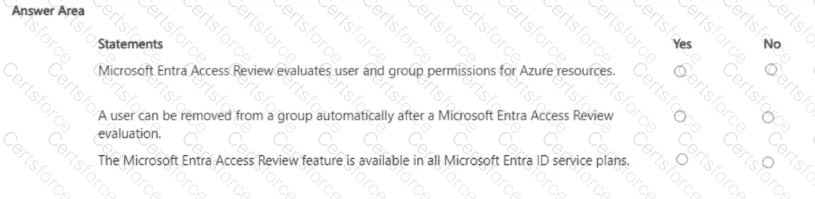
Microsoft Entra Access Reviews are designed to help organizations regularly validate and right-size access. Microsoft’s documentation explains that access reviews can target group memberships, enterprise app assignments, Azure AD roles, and Azure resource roles (via Privileged Identity Management), allowing reviewers to assess whether users, service principals, or groups should retain access to Azure resources—confirming the first statement. Access Reviews support automation: you can configure a review to “Auto-apply results”, so when the review ends, users who were denied or not reviewed are automatically removed from the group, application assignment, or role—validating the second statement. Finally, Access Reviews are a Premium P2 capability (now Microsoft Entra ID P2) alongside PIM and advanced identity governance. They are not included in all service plans; tenants require the appropriate P2 licenses for reviewers and users in scope—therefore the third statement is No.
Contribute your Thoughts:
Chosen Answer:
This is a voting comment (?). You can switch to a simple comment. It is better to Upvote an existing comment if you don't have anything to add.




Submit