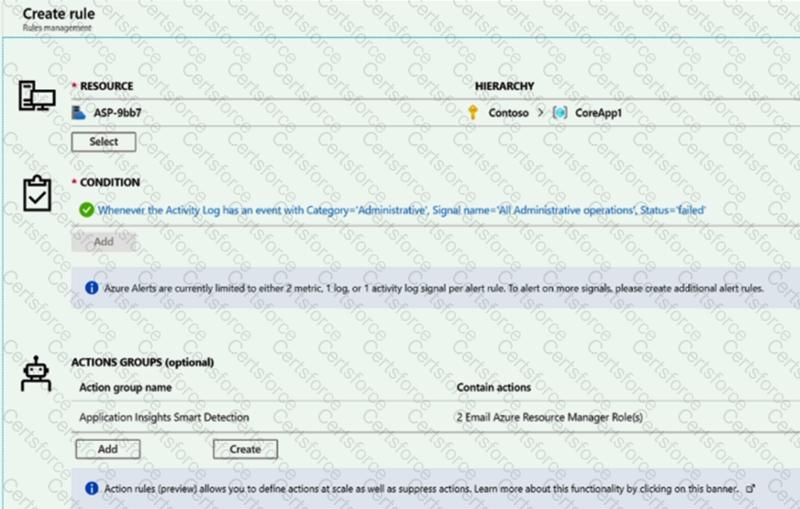
You create an alert rule in Azure Monitor as shown in the following exhibit.
Which action will trigger an alert?
a failed attempt to delete the ASP-9bb7 resource
a change to a role assignment for the ASP-9bb7 resource
a successful attempt to delete the ASP-9bb7 resource
a failed attempt to scale up the ASP-9bb7 resource


Submit