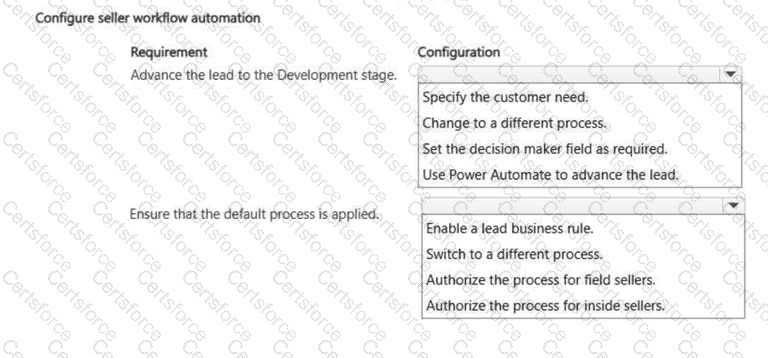
Requirement
Configuration
Advance the lead to the Development stage
Set the decision maker field as required.
Ensure that the default process is applied
Authorize the process for field sellers.
The lead qualification process should be controlled through the Lead to Opportunity Business Process Flow, because the case study states that field sellers use this existing process to manage leads. To prevent a lead from advancing to the Development stage until a decision maker is confirmed, configure the Decision Maker step as required in the business process flow. Microsoft’s business process flow guidance states that each stage contains steps mapped to columns, and a step can be made required so users must enter data before moving to the next stage. This stage-gating behavior directly satisfies the requirement that leads cannot progress until the decision maker is confirmed.
To ensure the correct process is applied for field sellers, authorize the business process flow for the field seller security role. Microsoft explains that business process flows can be associated with security roles so only users with those roles can view or use them, and that the first active process available for a user’s security role is applied by default according to process order.
Do not choose Power Automate to advance the lead; the requirement is to block advancement until a required qualification criterion is completed, not to automate progression. “Switch to a different process” is user action, not a configuration standard.
References/topics: Business process flows; stage-gating; Lead to Opportunity Sales Process; security role authorization; seller workflow standardization.


Submit