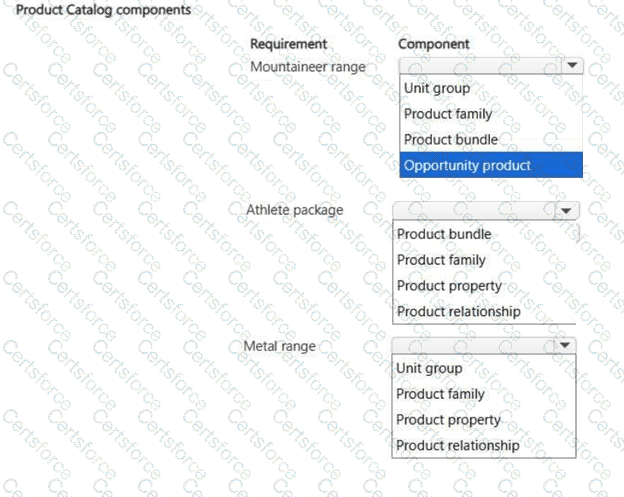
Requirement
Component
Mountaineer range
Product family
Athlete package
Product bundle
Metal range
Product property
The Mountaineer range should be configured as a Product family because it represents a product classification hierarchy. Dynamics 365 Sales uses product families to organize related products, child products, and bundles under a parent structure. Microsoft’s product catalog guidance states that product families can contain child product families, products, and bundles in a hierarchy, which fits the mountaineer cycle range with economy and premium fitting variations.
The Athlete package should be configured as a Product bundle because it combines multiple sellable items: a cycle, connected devices, and subscription-based analytics services. A bundle is used when multiple products are sold together as one commercial package. Dynamics 365 Sales allows products to be associated with a bundle, including quantities and required or optional components.
The Metal range should be configured as a Product property because sellers must choose a configurable attribute—chrome, aluminum, or titanium—when adding the mountaineer cycle to an opportunity. Product properties define product characteristics such as size, color, or component, and can be used at run time when adding products to opportunities, quotes, orders, or invoices.
References/topics: Product catalog setup; product families; product bundles; product properties; opportunity product configuration.


Submit