Step 1: Identify the suspicious sender address
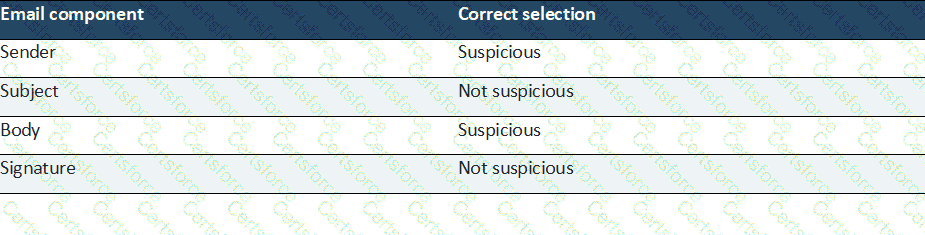
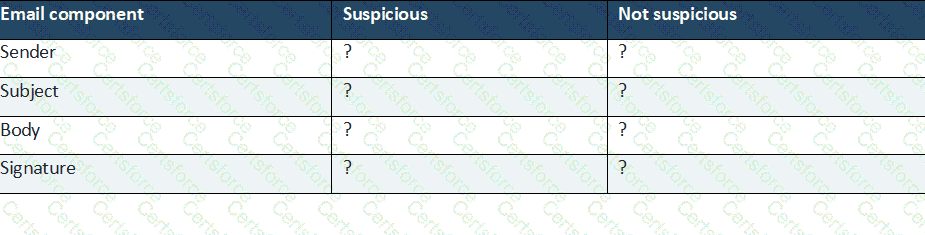
Selection: Suspicious
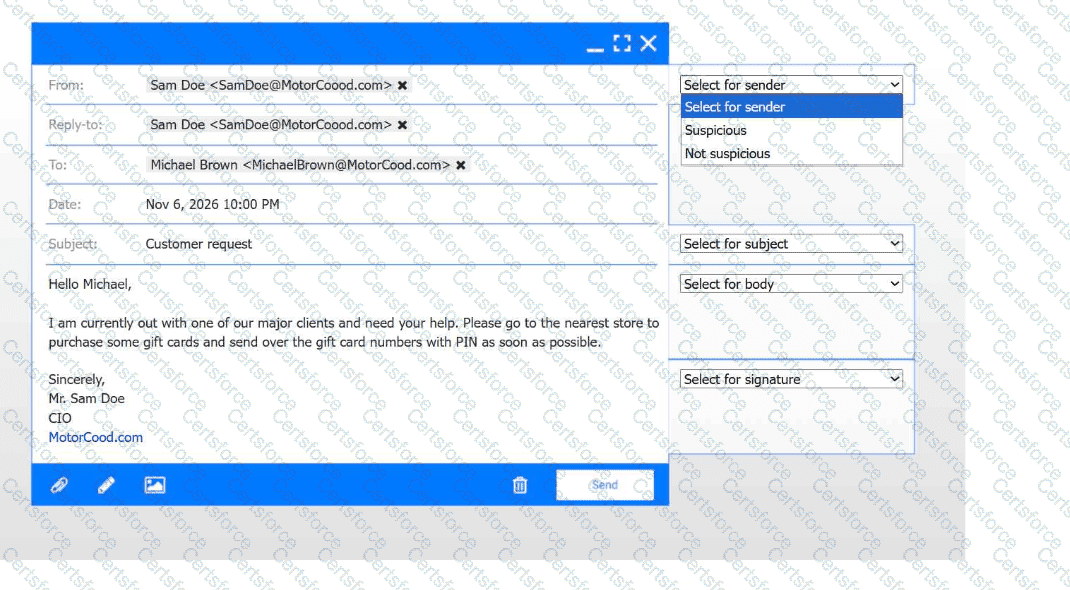
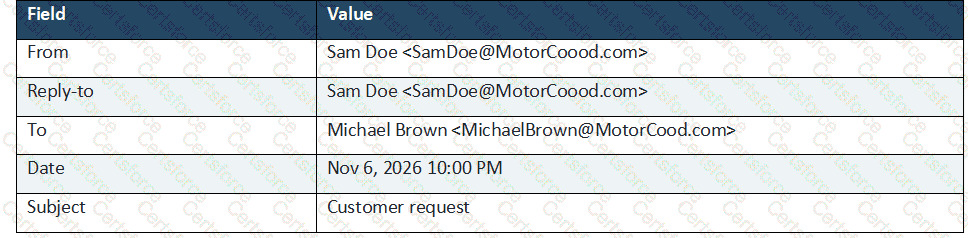
The displayed sender name is Sam Doe, but the sender ' s domain differs from the organization ' s legitimate domain.
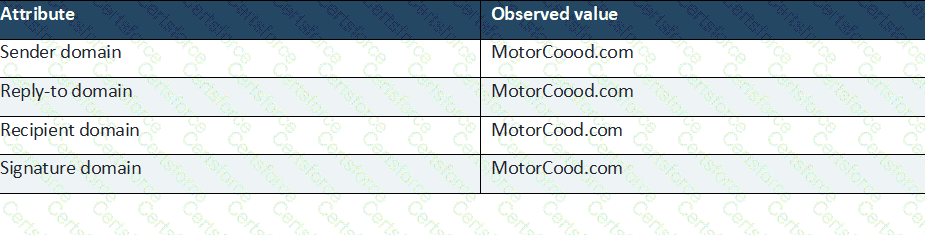
The sender ' s domain contains an additional letter “o”. This is an example of typosquatting and executive impersonation. The attacker uses a visually similar domain name to make the email appear legitimate.
The matching malicious reply-to address also directs any responses to the suspicious domain.
Step 2: Examine the email subject
Selection: Not suspicious
The subject line is: Customer request.
The subject is generic and does not independently contain malicious links, threats, credential requests, or obvious impersonation indicators.
Although generic subject lines can be used in phishing campaigns, the subject alone does not establish malicious activity.
Step 3: Examine the email body
Selection: Suspicious
The email body contains several social engineering indicators:
• An executive is apparently requesting an unusual financial transaction.
• The recipient is instructed to purchase gift cards.
• The attacker requests both gift card numbers and PINs.
• The phrase “as soon as possible” creates urgency.
• The reference to a major client provides a fabricated business justification.
• The request bypasses established procurement and financial approval procedures.
Gift card numbers and PINs allow the value of purchased cards to be redeemed without physical possession of the cards.
The message combines authority, urgency, impersonation, and financial fraud.
Step 4: Examine the email signature
Selection: Not suspicious
The signature contains the executive ' s apparent name, organizational position, and correctly spelled company domain.
However, a valid-looking signature does not authenticate the sender. An attacker can copy legitimate corporate signatures, job titles, and branding to increase credibility.
The signature should therefore be classified as not independently suspicious, while the overall email remains malicious.
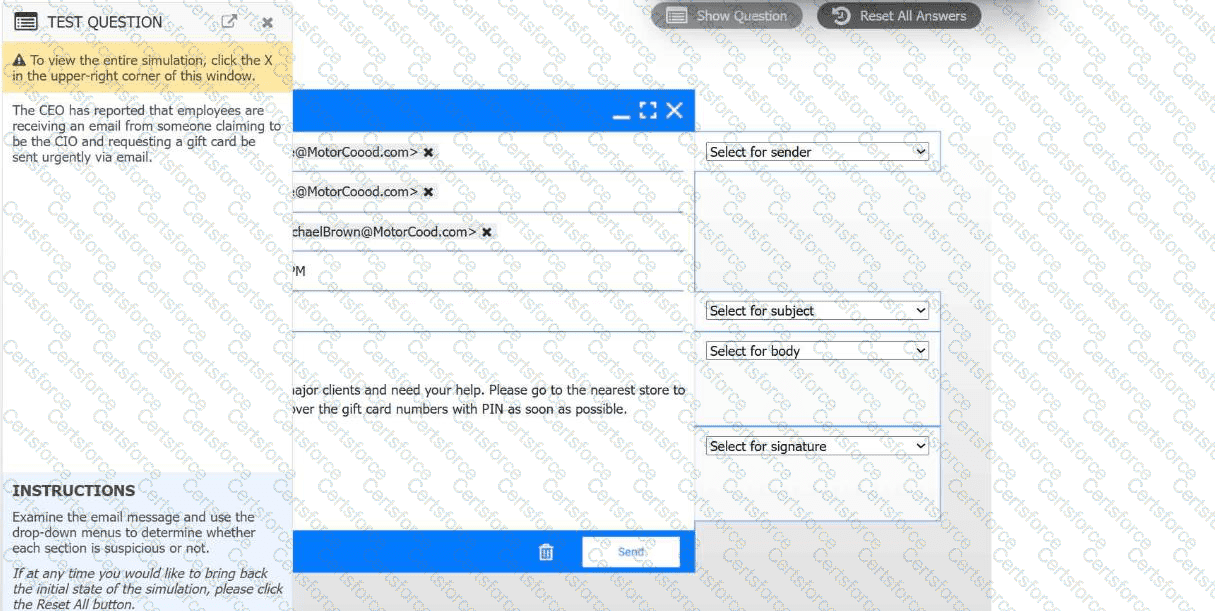
Step 5: Complete the simulation
Step 6: Recommended security response
The security analyst should quarantine the phishing message, search for additional recipients, block the confirmed malicious sender domain where appropriate, alert affected employees, and investigate whether anyone disclosed gift card details or other sensitive information.
Employees should independently verify unusual executive requests through an established communication channel rather than replying to the suspicious email.
Attack classification: Business email compromise-style impersonation, typosquatting, phishing, and financial social engineering.
[Reference: Security+ Study Guide, Sections 4.2–4.7 — Social Engineering, Impersonation, Typosquatting, Phishing, Fraud and Scams., , ]


Submit