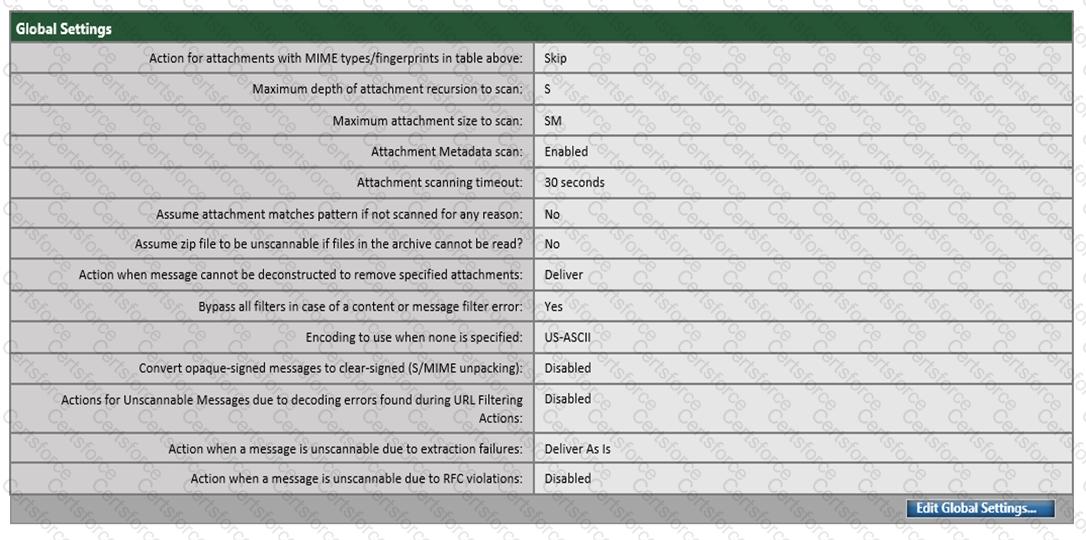
The maximum attachment size to scan is a configuration on the scan behavior that determines the maximum size of an attachment that Cisco ESA will scan for viruses and malware. If an attachment exceeds this size, Cisco ESA will apply the configured action for unscannable messages, such as deliver, drop, or quarantine.
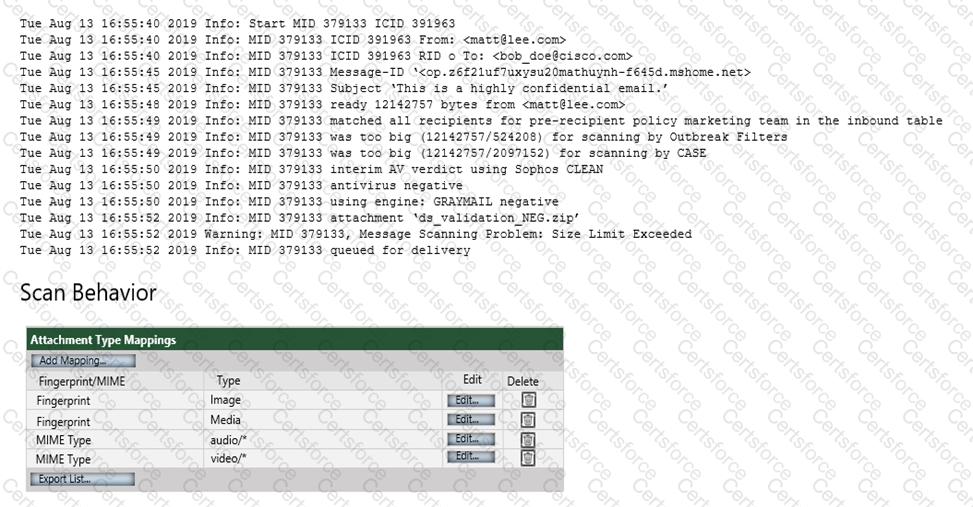
To allow the attachment to be scanned on the Cisco ESA, this configuration must be updated to a larger value than the attachment size, which is 10 MB according to the message header.
The other options are not valid configurations to allow the attachment to be scanned on the Cisco ESA, because they do not affect the maximum attachment size to scan.
[References: User Guide for AsyncOS 15.0 for Cisco Secure Email Gateway, page 7-3 and page 7-4., ]
Contribute your Thoughts:
Chosen Answer:
This is a voting comment (?). You can switch to a simple comment. It is better to Upvote an existing comment if you don't have anything to add.


Submit